







































What Is an Appeal in CPGRAMS and When Should You File It
An appeal in CPGRAMS is a formal request submitted by a citizen when their grievance has been disposed of unsatisfactorily by a government department. It is not a fresh complaint, but a challenge to the decision already taken on your grievance. Many users mistakenly think closure means resolution, which is not always true.
You should file an appeal when the department closes your complaint without solving the issue, gives a generic or misleading reply, or marks it resolved despite no action on the ground. CPGRAMS allows appeal only after disposal, not while the complaint is pending.
You should file a CPGRAMS appeal if:
- Your grievance was closed without addressing the core issue
- The reply is vague, copy-paste, or irrelevant
- The department falsely claimed “action taken”
- Your problem still exists after disposal
- You have documentary proof contradicting the reply
An appeal escalates the matter to a higher authority within the same ministry or department. This increases accountability because senior officers are required to review the disposal quality, not just response speed.
Importantly, CPGRAMS appeal is not optional follow-up—it is a time-bound legal escalation. If you miss the appeal window, the system treats the case as finally closed, limiting further action through CPGRAMS.
Eligibility Rules to File an Appeal on CPGRAMS Portal
Not every CPGRAMS user can file an appeal. The portal follows strict eligibility conditions to prevent misuse and repeated escalations. Understanding eligibility is crucial because ineligible appeals are auto-rejected without review.
Only the original complainant who filed the grievance can submit the appeal. Appeals filed by third parties, representatives, or family members are not accepted, even if the issue is genuine.
You are eligible to file a CPGRAMS appeal only if:
- Your grievance status is marked as Disposed
- You are logged in using the same registered account
- The appeal is filed within the permitted time limit
- The grievance was not closed due to jurisdiction or duplication
- The complaint was not already appealed earlier
You are not eligible to file an appeal if the grievance was rejected because it did not fall under CPGRAMS scope. Appeals are also not allowed for grievances related to courts, tribunals, or matters already sub-judice.
The appeal option becomes visible only when the system validates eligibility automatically. If you do not see the appeal button, it usually means either the time limit has expired or the grievance type is not appealable.
Before filing, ensure you have clear factual grounds, supporting documents, and a precise explanation of how the disposal failed. Emotional language or repetition of the original complaint reduces credibility at the appeal stage.
CPGRAMS appeal ignored or delayed? RTIwala secures written accountability:
📞 Call: +91-7999-50-6996
💬 WhatsApp: https://help.rti.link/
🌐 www.rtiwala.com
Time Limit to File Appeal After CPGRAMS Complaint Disposal
The CPGRAMS portal allows a limited and strict time window to file an appeal after disposal. Missing this deadline is the most common reason users permanently lose escalation rights.
You must file the appeal within 30 days from the date the grievance is marked as disposed on the portal. The system calculates this automatically and disables the appeal option after the deadline.
Key points about CPGRAMS appeal time limit:
- 30 days counted from disposal date, not reply date
- No manual extension or condonation available
- System auto-locks appeal option after deadline
- Late appeals are not reviewed by any authority
Many users assume they can appeal later if the issue continues. This is incorrect. Once the appeal window closes, CPGRAMS treats the matter as concluded, regardless of ground reality.
To avoid missing the deadline, regularly monitor your grievance status and read the disposal remarks immediately. Even if the reply seems partially correct, file an appeal if the core issue remains unresolved.
A timely appeal keeps the matter officially alive in the government system and compels senior officers to review the case objectively. Delay results in complete loss of escalation rights within CPGRAMS.
Step-by-Step Process to File Appeal in CPGRAMS Online
Filing an appeal on the CPGRAMS portal is a structured digital process. If even one step is done incorrectly, the appeal may not reach the reviewing authority. Therefore, accuracy and clarity at each stage are essential.
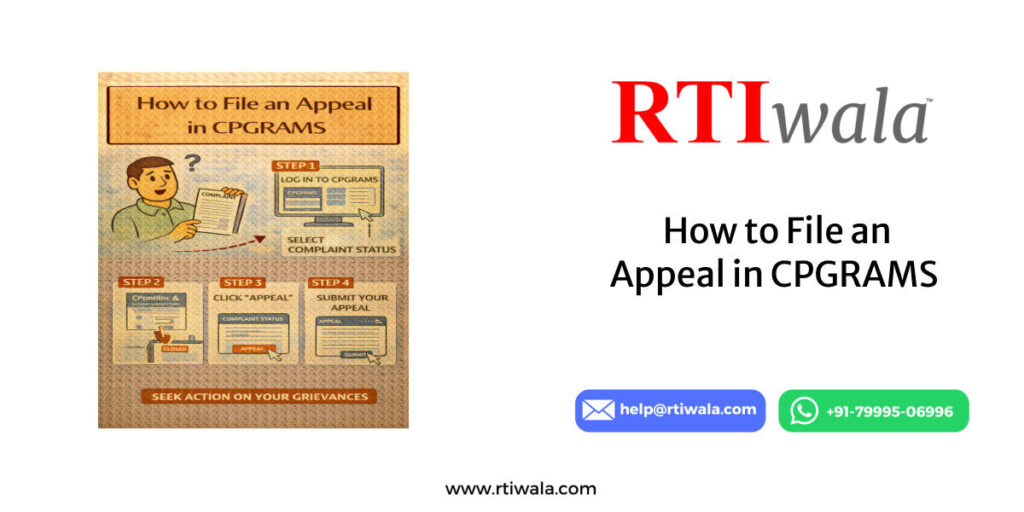
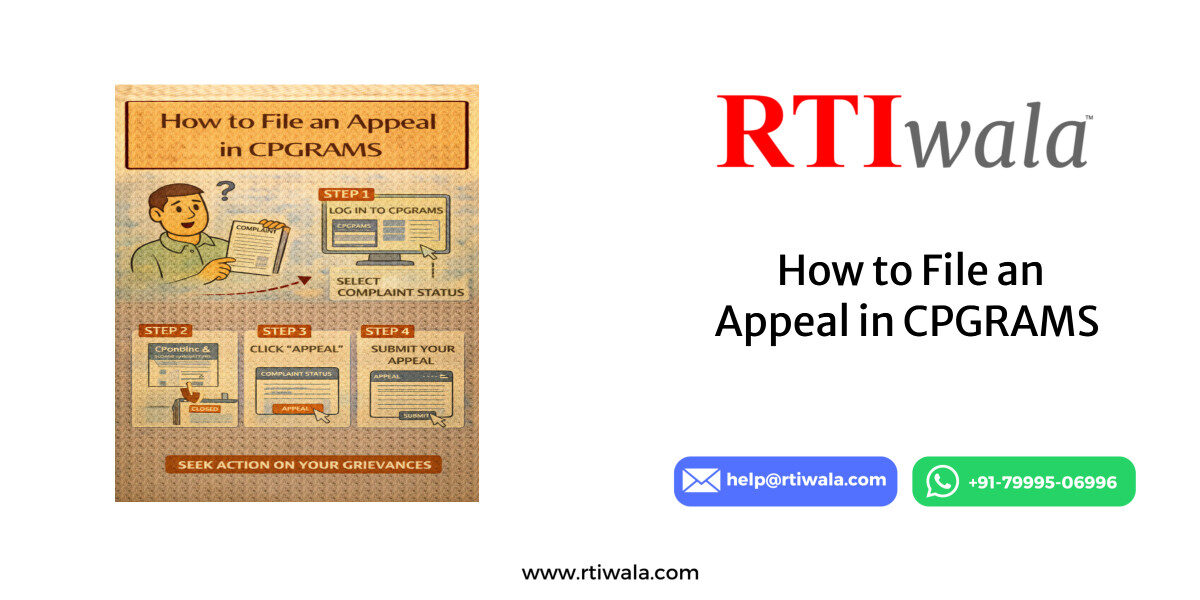
First, log in to the CPGRAMS portal using the same credentials used to file the original grievance. Appeals cannot be filed through a new account or guest login. After login, navigate to the “View Status” or “Disposed Grievances” section.
Once you open the disposed grievance, check carefully whether the “Appeal” option is visible. This option appears only if the grievance is eligible and within the time limit. If the button is not visible, the system will not accept any appeal request.
Step-by-step process to file CPGRAMS appeal online:
- Log in to CPGRAMS using registered email/mobile
- Open the disposed grievance from your dashboard
- Click on the “Appeal” button
- Select the reason for dissatisfaction from the dropdown
- Write a clear appeal explanation in the text box
- Upload supporting documents, if available
- Submit and note the appeal registration number
While drafting the appeal, avoid repeating the entire original complaint. Instead, focus on what was wrong in the disposal. Mention specific gaps, incorrect claims, or actions that were promised but not taken.
Your appeal text should be factual, short, and evidence-based. The reviewing authority expects clarity, not emotional language. Upload documents only if they directly prove that the disposal was incorrect or incomplete.
After submission, the appeal is forwarded to a higher-level officer within the concerned ministry or department. The system-generated appeal number is your only proof of escalation—save it carefully for tracking.
CPGRAMS appeal ignored or delayed? RTIwala secures written accountability:
📞 Call: +91-7999-50-6996
💬 WhatsApp: https://help.rti.link/
🌐 www.rtiwala.com
Common Reasons CPGRAMS Appeals Get Rejected or Ignored
A large number of CPGRAMS appeals never lead to corrective action, not because the issue lacks merit, but because the appeal is poorly filed. Understanding rejection patterns helps you avoid common mistakes.
The most frequent reason for rejection is missing the appeal time limit. Once the 30-day window closes, the system blocks appeals permanently, and no officer has the authority to reopen it.
Common reasons CPGRAMS appeals fail or get ignored:
- Appeal filed after the deadline
- Repetition of original complaint without addressing disposal
- Vague or emotional appeal language
- No reference to disposal remarks
- Uploading irrelevant or excessive documents
- Appeal filed for non-appealable grievance types
Another major issue is filing a generic appeal. Statements like “I am not satisfied” or “no action taken” without specifics fail to show why the disposal was defective. Authorities require clear identification of administrative lapses.
Appeals are also ignored when users upload bulky or unrelated documents. Senior officers do not review unnecessary files. Only upload documents that directly contradict the department’s disposal reply.
Some appeals fail because the grievance itself was disposed correctly, but the user expected a different outcome. CPGRAMS appeal reviews procedural correctness, not policy disagreement or personal dissatisfaction.
Finally, appeals related to matters outside CPGRAMS jurisdiction—such as court cases or private disputes—are closed without examination. Filing an appeal in such cases does not trigger any further action.
A strong CPGRAMS appeal focuses on accountability gaps, not emotions. When the appeal clearly shows how the disposal violated procedure, ignored evidence, or misrepresented facts, it has a significantly higher chance of review and correction.
How to Track CPGRAMS Appeal Status and Expected Response Time
After submitting an appeal on CPGRAMS, tracking its progress is critical. Many users assume silence means rejection, but in reality, CPGRAMS follows a structured internal workflow that takes time. Knowing how to track status helps you avoid confusion and unnecessary follow-ups.
To track your appeal, log in to the CPGRAMS portal using the same account used for filing the grievance and appeal. Navigate to the “View Appeal Status” or “My Appeals” section in your dashboard.
Each appeal is assigned a unique appeal registration number. This number is mandatory for tracking and future reference. Without it, you cannot raise further concerns or quote the case officially.
Steps to track CPGRAMS appeal status:
- Log in to the CPGRAMS portal
- Go to “My Appeals” or appeal tracking section
- Enter or select the appeal registration number
- Check current status and remarks
- Download or save any response received
Appeal status messages usually fall into categories such as Under Examination, Forwarded to Department, Action Taken, or Disposed. “Under Examination” means the higher authority is reviewing the original disposal and appeal grounds.
The expected response time for a CPGRAMS appeal is generally 30 to 45 days, depending on the ministry and complexity of the issue. Unlike initial grievances, appeals involve senior officers, which may extend processing time.
Do not assume delay equals inaction. CPGRAMS appeals are monitored centrally, and departments are required to justify their earlier disposal. However, the system does not send frequent updates unless the status changes.
It is important to regularly log in and check the portal instead of waiting for email or SMS alerts alone. Many users miss important remarks because they rely only on notifications.
If the appeal status shows “Disposed,” read the remarks carefully. Disposal at appeal stage may confirm the original decision or direct corrective action. The remarks determine your next steps.
CPGRAMS appeal ignored or delayed? RTIwala secures written accountability:
📞 Call: +91-7999-50-6996
💬 WhatsApp: https://help.rti.link/
🌐 www.rtiwala.com
What to Do If CPGRAMS Appeal Is Not Resolved or No Reply Received
When a CPGRAMS appeal does not resolve your issue or no reply is received even after the expected time, it indicates administrative closure without relief. This does not mean the issue lacks merit, but it does mean CPGRAMS escalation has reached its limit.
If no response is received beyond 45 days, first verify whether the appeal status has changed silently. Sometimes appeals are disposed without sending alerts. Always check the portal manually.
If your CPGRAMS appeal is not resolved, you should:
- Review appeal disposal remarks carefully
- Note factual or procedural gaps in the reply
- Preserve all complaint and appeal records
- Avoid filing duplicate CPGRAMS complaints
- Prepare for alternative accountability routes
CPGRAMS does not allow second appeals or repeated escalation for the same grievance. Filing multiple complaints on the same issue often leads to auto-closure or tagging as repetitive.
If the appeal confirms incorrect or misleading information by the department, your strongest next step is to seek official records supporting or disproving the claims made in disposal. Written records create accountability where verbal replies fail.
In cases where departments falsely claim action taken, deny records, or provide contradictory statements, documentation becomes crucial. Without written proof, further escalation becomes difficult.
If the appeal is ignored entirely, treat it as administrative non-response, which itself is an accountability failure. At this stage, structured documentation and formal record-seeking are more effective than repeated complaints.
The key mistake users make after appeal failure is abandoning the issue emotionally or filing random complaints. The correct approach is to shift from grievance-based communication to record-based accountability.
Once CPGRAMS appeal remedies are exhausted, the matter should be pursued through channels that compel written justification, file movement details, and decision records. This is where clarity replaces assumptions and silence becomes traceable.
Frequently Asked Questions (FAQs) – CPGRAMS Appeal
1. When can I file an appeal on the CPGRAMS portal?
You can file a CPGRAMS appeal only after your grievance is marked “Disposed” and if you are dissatisfied with the reply or action taken by the department.
2. What is the time limit to file an appeal in CPGRAMS?
The appeal must be filed within 30 days from the date of grievance disposal. After this period, the appeal option is permanently disabled.
3. Who is eligible to file a CPGRAMS appeal?
Only the original complainant, using the same registered CPGRAMS account, is eligible to file an appeal. Third-party appeals are not accepted.
4. Can I file a second appeal in CPGRAMS if the first appeal fails?
No. CPGRAMS allows only one appeal per grievance. There is no provision for a second or repeated appeal on the same complaint.
5. How long does CPGRAMS take to respond to an appeal?
CPGRAMS appeals usually take 30 to 45 days for response, depending on the department and complexity of the issue.
6. Why do CPGRAMS appeals get rejected or ignored?
Common reasons include missing the 30-day deadline, vague appeal content, repeating the original complaint, or filing an appeal for a non-appealable grievance.
7. How can I track the status of my CPGRAMS appeal?
Log in to the CPGRAMS portal, go to “My Appeals”, and track the status using your appeal registration number provided at submission.
8. What should I do if there is no reply to my CPGRAMS appeal?
If there is no response even after 45 days, review the portal manually, preserve records, and move toward document-based accountability steps instead of filing duplicate complaints.