


























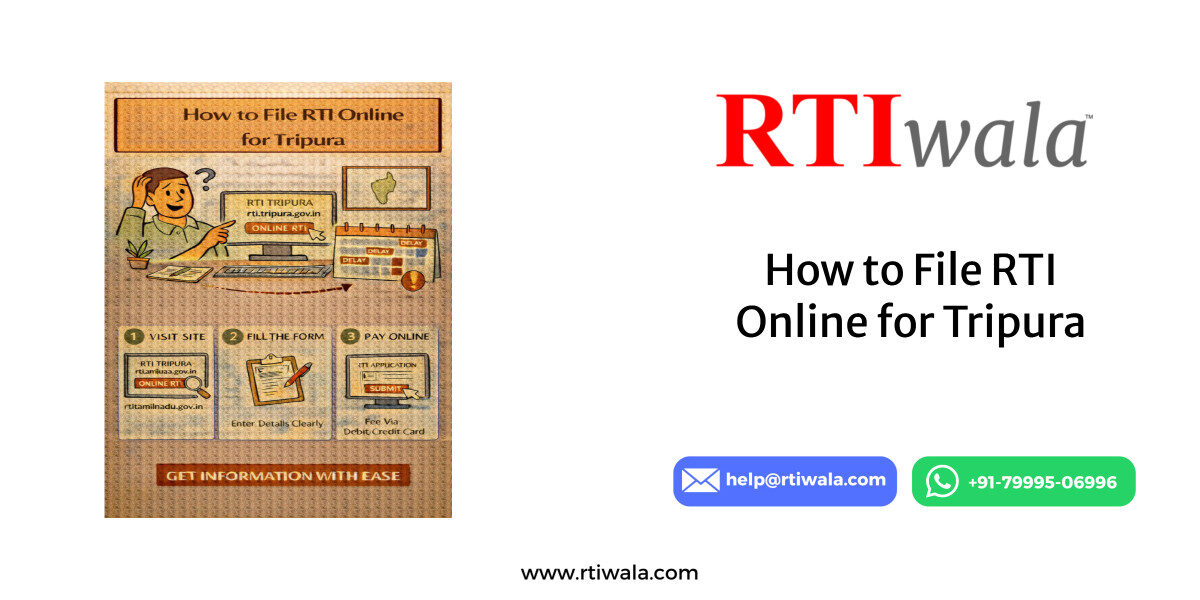
Is RTI Online Available in Tripura or Only Offline Filing Works?
Many citizens searching RTI online Tripura are confused because Tripura does not have a fully functional, independent state RTI online portal like some other states. This confusion often leads to rejected applications or wasted time.
The important reality is:
- Tripura does not support complete end-to-end RTI filing through a dedicated state RTI portal
- However, online RTI filing is still possible for certain public authorities via the Central RTI Online Portal
- For most state government departments, offline RTI filing is still the primary and safest method
Understanding this distinction is critical before filing, because filing RTI on the wrong portal can result in non-delivery, delay, or silent rejection.
How RTI Filing Works in Tripura (Ground Reality)
RTI filing in Tripura currently follows a hybrid system:
- Central Government Offices in Tripura
- RTI can be filed online
- Applicable only to departments under Government of India
- Tripura State Government Departments
- RTI filing is offline only
- Applications must be submitted via:
- Speed Post / Registered Post
- Hand delivery to the Public Information Officer (PIO)
This means that citizens must first identify whether the department falls under Central or State jurisdiction before choosing online or offline filing.
Why Many RTIs Fail in Tripura
Most RTI rejections or “no response” cases happen because:
- RTI filed online for state departments that don’t accept online RTI
- Application sent to the wrong public authority
- Incorrect assumption that “online RTI works everywhere in India”
If RTI is not filed through the legally accepted channel, the department is not bound to reply.
When Should You Choose Online RTI in Tripura?
Online RTI is suitable only if all three conditions are met:
- The department is under Central Government
- The department is listed on the Central RTI Online Portal
- The information sought falls within that authority’s jurisdiction
If even one condition fails, offline filing is mandatory.
RTI online in Tripura confusing or getting rejected? RTIwala fixes authority selection and filing errors—contact us now.
📞 Call: +91-7999-50-6996
💬 WhatsApp: https://help.rti.link/
🌐 www.rtiwala.com
Official Tripura RTI Online Portal Link and Login Process
Since Tripura does not have its own state RTI portal, all online RTI filings related to Tripura (Central offices only) are done through the Central RTI Online Portal.
Official RTI Online Portal Used for Tripura
- Portal Name: Central RTI Online Portal
- Purpose: Filing RTI applications to Central Government public authorities
- Coverage in Tripura:
- Central ministries
- PSU offices
- Central autonomous bodies located in Tripura
This portal cannot be used for:
- Tripura state departments
- District administration under state control
- Panchayat, municipal, or state-run bodies
Step-by-Step Login Process on RTI Online Portal
Before filing, users must create a valid login. The process is simple but must be done correctly to avoid errors.
Login Process:
- Visit the official Central RTI Online Portal
- Click on “Submit Request”
- Accept the declaration shown on the screen
- Choose “Register” if filing for the first time
During registration, you must provide:
- Applicant’s full name (as per ID)
- Valid email ID (RTI replies may come here)
- Active mobile number
- Complete postal address (mandatory under RTI Act)
After registration:
- A User ID is generated
- Login credentials are sent to the registered email
- Login using:
- User ID
- Password
- Captcha code
Common Login Issues Faced by Tripura Users
Many users face login or filing issues due to small but critical mistakes:
- Using inactive email IDs
- Entering incomplete postal address
- Selecting wrong ministry or department
- Assuming state departments are available online
These mistakes result in:
- RTI not reaching the correct PIO
- Delayed replies beyond 30 days
- Automatic closure without response
Key Legal Point Users Must Know
Under the RTI Act:
- RTI is valid only if submitted to the correct public authority
- Filing on the wrong portal does not shift responsibility to the department
- Applicant bears the risk of incorrect filing
That’s why identifying whether online RTI is legally acceptable for your Tripura query is the most important first step.
RTI online in Tripura confusing or getting rejected? RTIwala fixes authority selection and filing errors—contact us now.
📞 Call: +91-7999-50-6996
💬 WhatsApp: https://help.rti.link/
🌐 www.rtiwala.com
Who Can File RTI in Tripura and What Information Can Be Asked
One of the most common doubts users in Tripura have is “Am I eligible to file RTI?”
The answer is simple—but misuse or misunderstanding often leads to rejection or incomplete replies.
Who Is Legally Allowed to File RTI in Tripura?
Under the RTI Act, any Indian citizen can file an RTI in Tripura, irrespective of location or background.
You can file RTI if you are:
- A resident of Tripura or any other state
- A student, professional, farmer, employee, or business owner
- Filing RTI for personal issues or public interest
- Filing RTI on behalf of someone else (with consent, if needed)
There is no minimum age, no income limit, and no requirement to justify why information is needed.
Who Cannot File RTI?
RTI cannot be filed by:
- Foreign nationals
- Companies or firms (unless filed by an Indian citizen representative)
- Anonymous applicants (identity is mandatory under RTI Act)
Providing false identity or incomplete address can make the RTI legally invalid.
What Type of Information Can Be Asked in Tripura RTI?
RTI is meant for seeking existing records, not explanations or opinions.
Only information that already exists with the public authority can be demanded.
You can ask for:
- Copies of official records, files, and documents
- Status of applications, schemes, or benefits
- Fund utilisation details
- Tender documents and work orders
- Attendance registers, inspection reports
- Rules, circulars, and government orders
- File notings related to decisions taken
All information must be clearly linked to a specific public authority in Tripura.
What Information Is Not Allowed Under RTI?
RTI applications are rejected when they ask for:
- Personal opinions or justifications
- Hypothetical questions (“why”, “how will you”)
- New data creation or analysis
- Private information protected under Section 8
- Questions unrelated to any public authority
Clarity and precision decide whether the RTI will succeed or fail.
Exact Step-by-Step Process to File RTI Online in Tripura Without Rejection
Filing RTI online in Tripura works only for Central Government offices.
Following the correct steps is critical, as one wrong selection can invalidate the RTI.
Step 1: Confirm Whether Online RTI Is Applicable
Before starting, confirm:
- The department is under Central Government
- The office is operational in Tripura
- The department is listed on the Central RTI Online Portal
If the authority is state-controlled, online RTI will not be accepted.
Step 2: Login to the RTI Online Portal
- Login using registered User ID and password
- Click on “Submit Request”
- Carefully read and accept the declaration
Skipping or ignoring the declaration can cause submission failure.
Step 3: Select the Correct Public Authority
This is the most critical step.
- Choose the exact ministry/department
- Avoid generic selections
- Do not guess the authority name
- If unsure, filing under wrong authority leads to non-response
Incorrect authority selection is the number one cause of RTI failure.
Step 4: Draft RTI Questions Carefully
While entering the RTI text:
- Ask specific, document-based questions
- Keep language clear and factual
- Avoid emotional or accusatory tone
- Do not exceed the word limit unnecessarily
Each question should clearly point to existing records.
Step 5: Upload Supporting Details (If Required)
- Most RTIs do not require attachments
- Upload documents only if they help identify records
- Avoid unnecessary files
Incorrect or irrelevant uploads can slow down processing.
Step 6: Pay RTI Application Fee Online
- RTI fee is paid digitally through:
- Net banking
- Debit card
- Credit card
- Payment confirmation is mandatory for submission
Without successful payment, RTI is not legally filed.
Step 7: Save Acknowledgement and Registration Number
After submission:
- Download the acknowledgement
- Save the registration number
- This number is required for:
- Tracking status
- Filing appeal later if needed
Failure to save acknowledgment makes follow-up difficult.
How This Process Prevents Rejection
This step-by-step approach ensures:
- RTI reaches the correct authority
- Legal validity under RTI Act
- Time limit starts officially
- Right to appeal remains protected
RTI online in Tripura confusing or getting rejected? RTIwala fixes authority selection and filing errors—contact us now.
📞 Call: +91-7999-50-6996
💬 WhatsApp: https://help.rti.link/
🌐 www.rtiwala.com
RTI Application Fee in Tripura and Online Payment Method
Understanding the exact RTI fee structure is critical because incorrect fee payment makes the RTI invalid, even if everything else is correct. Many Tripura applicants lose their RTI rights only due to fee-related mistakes.
RTI Application Fee in Tripura (Legal Position)
The RTI application fee in Tripura depends on how and where you file the RTI.
- For Central Government Offices (Online RTI)
- Application fee
- Payment is mandatory and online only
- Without payment, RTI is not considered filed
- For Tripura State Government Offices (Offline RTI)
- Application fee
- Payment mode is offline
- Fee is submitted via:
- Court fee stamp (where applicable)
- Indian Postal Order (IPO)
- Demand Draft (as accepted by the department)
Always confirm the accepted fee mode before sending the RTI offline.
Who Is Exempted From RTI Fees?
RTI fee exemption applies only if:
- Applicant belongs to Below Poverty Line (BPL)
- Valid BPL certificate is attached with RTI
If proof is missing or unclear, the RTI can be rejected or kept pending.
Online Payment Method for RTI in Tripura (Central RTI Portal)
When filing RTI online for Tripura-related Central offices, payment is done digitally.
Accepted payment modes:
- Net banking
- Debit card
- Credit card
Important rules to remember:
- Payment must be successful to generate RTI registration number
- Failed or incomplete payment cancels the RTI automatically
- No manual correction is allowed after submission
Always download and save:
- Payment receipt
- RTI acknowledgment page
These documents are legally important for appeals.
Additional Charges After RTI Reply
If information exceeds free limits, departments may charge:
- Photocopy charges
- Data compilation charges
- Electronic media charges
The department must inform the applicant in writing before demanding extra fees.
RTI Reply Time Limit in Tripura and What to Do If No Response Comes
Knowing the RTI reply time limit is essential because delay automatically gives you the right to appeal. Many applicants wait unnecessarily due to lack of awareness.
Legal RTI Reply Time Limit in Tripura
Under the RTI Act:
- Standard cases:
- Reply must be given within 30 days from the date of receipt
- Life or liberty matters:
- Reply must be given within 48 hours
- RTI transferred to another authority:
- Maximum 35 days
- Third-party information cases:
- Up to 40 days
The countdown starts from the official receipt date, not the date you drafted the RTI.
What Is Considered a Valid RTI Reply?
A valid RTI reply must:
- Be in writing
- Clearly answer each query
- Provide copies of records or reasons for denial
- Mention appeal details if information is denied
Incomplete or vague replies are treated as deemed refusal.
RTI online in Tripura confusing or getting rejected? RTIwala fixes authority selection and filing errors—contact us now.
📞 Call: +91-7999-50-6996
💬 WhatsApp: https://help.rti.link/
🌐 www.rtiwala.com
What to Do If No RTI Response Comes in Tripura?
If 30 days pass with no reply, the law is on your side.
Step-by-step action:
- Do not file a fresh RTI
- Prepare for First Appeal
- Count days from RTI receipt or acknowledgment date
- Mention “no response received within statutory time limit”
Silence from the department strengthens your appeal case.
When Should You File First Appeal?
You should file First Appeal if:
- No reply is received within time
- Partial or misleading information is provided
- Information is denied without legal justification
- Fees demanded are excessive or unjustified
First Appeal must be filed within 30 days from:
- RTI reply date, or
- Expiry of RTI response deadline
Why Timely Action Matters
Delaying appeal can:
- Weaken your legal position
- Allow departments to avoid accountability
- Make information outdated or irrelevant
RTI works effectively only when timelines are tracked and enforced.
Frequently Asked Questions (FAQs): RTI Online Filing in Tripura
1. Is RTI online filing available for Tripura state government departments?
No. Tripura state government departments do not accept RTI applications online. RTI for state offices must be filed offline only.
2. Which Tripura offices allow RTI filing through the online portal?
Only Central Government offices located in Tripura accept RTI through the Central RTI Online Portal. State departments are excluded.
3. What happens if I file RTI online for a Tripura state department by mistake?
The RTI may not be forwarded, and the department is not legally bound to reply, resulting in delay or silent rejection.
4. What is the RTI application fee in Tripura?
The RTI fee in Tripura is Online payment applies only for Central offices, while state offices require offline fee payment.
5. How long does a department in Tripura have to reply to an RTI?
The legal reply time is 30 days from receipt. If no reply is received, the applicant gains the right to file a First Appeal.
6. Can a person outside Tripura file RTI for Tripura departments?
Yes. Any Indian citizen, regardless of location, can file RTI for Tripura departments if the correct authority is addressed.
7. What is the most common reason RTI gets rejected in Tripura?
The most common reason is filing RTI online for state departments, which legally accept offline RTI only.