










































How to Track PF Withdrawal Status Online Using UAN
Tracking your PF withdrawal online is the fastest and most reliable way to know exactly where your money is stuck. The Employees’ Provident Fund Organisation (EPFO) provides an official online system linked with your UAN (Universal Account Number).
To check PF withdrawal status online, keep these ready:
- Active UAN linked with Aadhaar, PAN, and bank account
- Registered mobile number for OTP verification
- Claim reference number (optional but helpful)
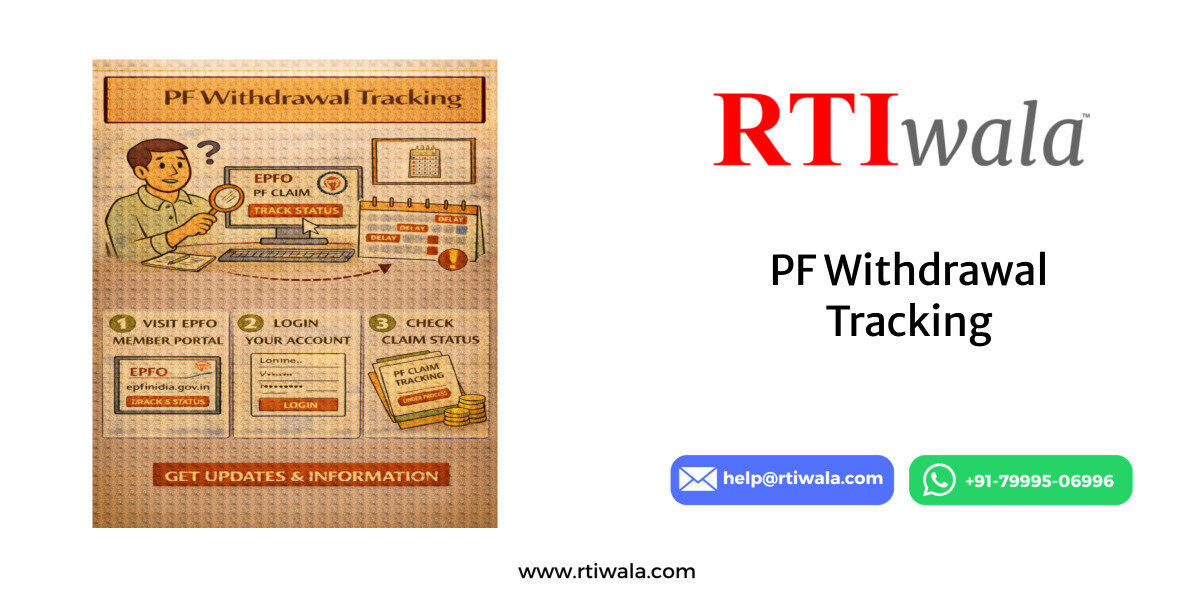
Step-by-step process to track PF status online:
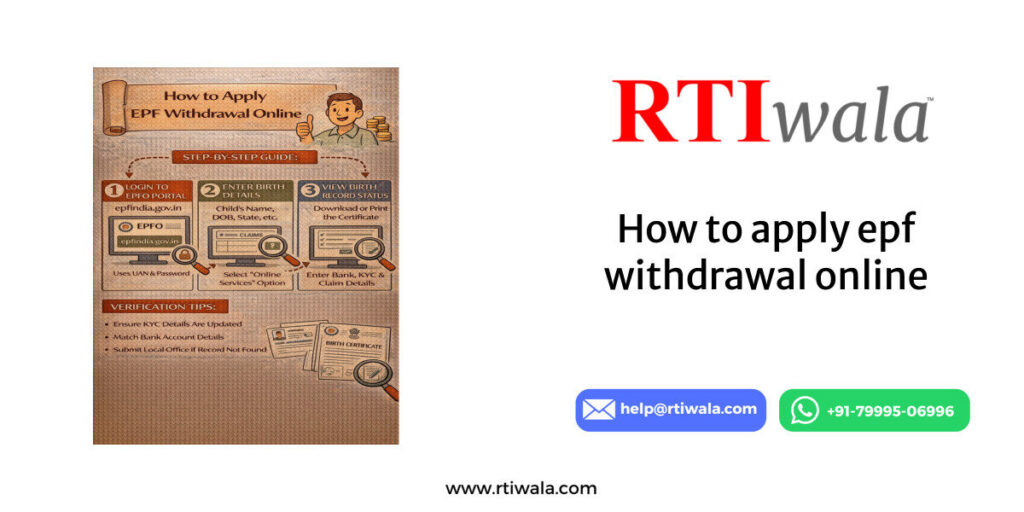
- Visit the official EPFO member portal
- Log in using UAN, password, and OTP
- Click on Online Services → Track Claim Status
- Your latest PF withdrawal status appears instantly
What users usually see on the screen:
- Claim Received
- Under Process
- Settled
- Rejected
- Payment Sent / NEFT Transfer Initiated
This online method removes dependency on employers or offices and gives real-time visibility. If the status doesn’t change for weeks, it signals a backend delay that needs intervention.
Common tracking issues users face:
- Portal showing old or no data
- Claim submitted but not visible
- Status stuck without timeline
- Error message after login
In such cases, tracking alone is not enough—you need to understand what the status actually means, which is explained next.
PF Claim Status Meanings Explained (Under Process, Settled, Rejected)
Most PF applicants panic because EPFO statuses are technical and unclear. Each status has a specific meaning and legal implication for your money.
1. Claim Status: “Under Process”
This means your PF claim is currently with the EPFO office for verification. At this stage:
- Documents are being checked
- Employer approval (if required) is verified
- Bank and KYC matching is done
If “Under Process” lasts more than 15–20 working days, it usually indicates:
- Officer-level backlog
- KYC mismatch
- Internal file movement delay
This is the most common pain point for PF applicants.
2. Claim Status: “Settled”
“Settled” does not always mean money credited. It only means:
- EPFO has approved your claim
- Payment instruction has been generated
After settlement:
- Amount is sent via NEFT
- Credit usually takes 2–5 working days
If money is not credited even after status shows “Settled,” the issue is mostly:
- Bank rejection
- Incorrect IFSC or account number
- NEFT failure
This requires follow-up, not resubmission.
3. Claim Status: “Rejected”
Rejected means EPFO has closed your claim without payment. The rejection reason is critical and legally important.
Common rejection reasons include:
- Aadhaar or PAN not verified
- Name mismatch between UAN and bank
- Employer digital approval pending
- Incorrect claim form selection
Many users never see the rejection reason clearly on the portal, which leads to repeated failed attempts.
PF withdrawal stuck or money not credited? RTIwala traces EPFO delays and fixes accountability—contact now.
📞 Call: +91-7999-50-6996
💬 WhatsApp: https://help.rti.link/
🌐 www.rtiwala.com
Why understanding PF status is crucial
- It tells whether waiting will help or not
- It prevents wrong reapplications
- It helps identify whether EPFO or employer is responsible
- It decides the next legal or procedural step
Ignoring PF status meanings often leads to months of unnecessary delay.
Important practical insight for users
- “Under Process” + long delay = escalation required
- “Settled” + no credit = banking or EPFO payment issue
- “Rejected” = correction + formal follow-up needed
PF Withdrawal Amount Not Credited Even After Claim Settled – What to Do
This is one of the most stressful PF issues for users. Your claim status shows “Settled”, but the PF amount is not credited to your bank account even after several days. This situation usually indicates a post-approval payment failure, not a rejection.
What “Settled” actually means in practice
- EPFO has approved your PF claim
- Payment instructions are generated internally
- Amount is sent via NEFT from Employees’ Provident Fund Organisation (EPFO)
However, EPFO does not confirm successful bank credit automatically.
Most common reasons for PF amount not credited after settlement
- Bank account number mismatch with UAN records
- Incorrect IFSC code (very common in old accounts)
- Dormant or inactive bank account
- NEFT transaction failed or returned
- Bank rejected payment due to name mismatch
In most cases, the money is returned to EPFO, but the portal does not clearly show this.
What you should do step-by-step
- Wait 2–5 working days after “Settled” status
- Check bank statement carefully (not just SMS alerts)
- Verify bank details in UAN profile again
- Confirm if your bank account is active and KYC-compliant
If money is still not credited after 5 working days, waiting longer does not help.
Critical mistake users make
- Re-applying for PF withdrawal
- Changing bank details repeatedly without confirmation
- Assuming “Settled” means completed
These actions often reset the process or create duplicate records.
Correct next action
- You must seek written clarification on payment status
- Confirm whether NEFT failed, returned, or pending
- Ask for transaction reference number (UTR)
Without this information, neither EPFO nor the bank will take responsibility.
PF withdrawal stuck or money not credited? RTIwala traces EPFO delays and fixes accountability—contact now.
📞 Call: +91-7999-50-6996
💬 WhatsApp: https://help.rti.link/
🌐 www.rtiwala.com
PF Claim Showing Under Process for Long Time – Reasons & Next Steps
“Under Process” is the most misleading PF status. Many users wait for 30–60 days, assuming EPFO will eventually clear it. In reality, long “Under Process” status almost always means something is blocking the file.
Normal processing time
- 7–15 working days (ideal cases)
- Beyond 20 working days = abnormal delay
If your PF claim is under process for weeks, it is not normal.
Top reasons PF claim stays under process
- Employer approval pending or not verified
- Aadhaar–UAN seeding mismatch
- PAN not verified for higher withdrawal amounts
- Officer backlog at EPFO regional office
- Internal transfer of PF account not completed
These issues are not auto-resolved by the system.
Why the status doesn’t change
- EPFO portal does not show internal objections
- No auto-alert for missing verification
- Employer delays are not reflected clearly
- Officers do not communicate proactively
As a result, users keep checking the portal with no progress.
What NOT to do
- Do not submit multiple claims repeatedly
- Do not rely only on employer verbal assurance
- Do not assume EPFO will contact you
These actions increase delay instead of fixing it.
Correct next steps when PF claim is stuck
- Identify whether delay is due to EPFO or employer
- Check KYC approval status inside UAN dashboard
- Verify if employer digital signature is completed
- Seek official status clarification, not assumptions
If the delay crosses 30 days, escalation becomes necessary.
Why escalation matters
- PF withdrawal is a statutory right, not a favor
- EPFO is bound by defined processing timelines
- Long delays violate procedural accountability
Most long-pending PF claims move only after formal intervention, not passive waiting.
User-level takeaway
- “Under Process” beyond 20 days = action required
- “Settled” without credit = payment trace required
- Silence from EPFO does not mean progress
Understanding these signals helps you take the right step at the right time, instead of restarting the process endlessly.
How to Track PF Withdrawal Through EPFO Office or Employer
When online tracking fails or shows no movement, offline tracking becomes necessary. PF claims are still processed at regional offices of the Employees’ Provident Fund Organisation (EPFO), and employers play a key role in approvals and clarifications.
When offline tracking is required
- Online status stuck for 20–30+ days
- Claim settled but payment not credited
- Status not visible or inconsistent
- Employer approval suspected to be pending
Offline tracking helps identify where exactly the file is blocked—EPFO desk or employer level.
Tracking PF through EPFO office
- Identify your EPFO regional office based on establishment code
- Visit the office during public dealing hours
- Carry UAN, Aadhaar, bank proof, and claim acknowledgment
- Ask for the section handling withdrawals (accounts/claims)
What to specifically ask
- Whether the claim file is approved, pending, or returned
- If any objection or clarification is raised internally
- Payment status and NEFT reference (if settled)
A direct visit often reveals issues not shown on the portal.
Tracking PF through employer
In many cases, delay is not EPFO’s fault but the employer’s.
Employer-related blocks include
- Digital approval not completed
- Old establishment records not updated
- Transfer-in details not verified
- Exit date or service details incorrect
What to ask your employer
- Has the PF claim been digitally approved?
- Is the DSC (Digital Signature Certificate) valid?
- Was any query raised by EPFO and responded to?
Verbal confirmation is not enough—employer confirmation must reflect in EPFO records.
Important practical reality
- EPFO does not chase employers
- Employers are not legally proactive unless pushed
- The PF portal does not clearly flag employer delays
This gap is why many PF claims remain unresolved for months.
Best practice for users
- First confirm employer-side approval
- Then verify EPFO-side processing
- Document all interactions (date, officer, response)
Offline tracking works best when you know what to ask, not when you just “inquire”.
PF withdrawal stuck or money not credited? RTIwala traces EPFO delays and fixes accountability—contact now.
📞 Call: +91-7999-50-6996
💬 WhatsApp: https://help.rti.link/
🌐 www.rtiwala.com
What to Do If PF Withdrawal Status Is Not Updating or Showing Error
Portal errors and non-updating statuses are extremely common, especially during peak claim periods. These issues confuse users and block decision-making.
Common PF portal issues users face
- Status not updating for weeks
- Claim not visible after submission
- “Something went wrong” error
- Blank or incorrect status screen
- Login works but tracking page fails
These issues are usually system-side, not user mistakes.
Why PF status does not update
- Backend processing completed but UI not refreshed
- Server sync delays between EPFO systems
- Claim processed but not mapped to UAN view
- Temporary portal outages or cache errors
In many cases, the PF claim is moving, but users can’t see it.
Immediate steps to troubleshoot
- Log out and recheck after 24–48 hours
- Try different browser or clear cache
- Track using claim reference number (if available)
- Check registered SMS/email alerts
If the status remains unchanged beyond a reasonable time, it’s not a technical wait issue anymore.
When an error becomes a real problem
- Status unchanged for 20+ working days
- Claim settled but no payment visibility
- Claim disappears from dashboard
- Repeated login or tracking errors
At this point, manual verification is required.
Correct escalation approach
- Confirm claim existence at EPFO office
- Ask whether claim is approved, pending, or failed
- Request written or recorded clarification
- Avoid repeated reapplications
Blind retries often worsen the issue by creating duplicate entries.
What users should avoid
- Assuming portal error means rejection
- Filing multiple claims simultaneously
- Changing bank/KYC repeatedly without confirmation
These actions create data conflicts, leading to longer delays.
Final user clarity
- Online tracking is informative, not conclusive
- Employer approval is often the hidden blocker
- Portal errors don’t stop processing—but hide it
- Offline confirmation brings real clarity
PF withdrawal issues are rarely “random.” They follow a pattern—delay source → verification gap → lack of escalation. Once you identify the source correctly, resolution becomes straightforward.
FAQs: PF Withdrawal Status, Delays & Resolution
1. How long does PF withdrawal take after submitting a claim online?
Normally, PF withdrawal is processed within 7–15 working days. If the status shows Under Process beyond 20 days, verification or approval issues are likely causing delay.
2. What does PF claim status “Under Process” mean for a long time?
“Under Process” means your claim is pending verification at Employees’ Provident Fund Organisation (EPFO). Long delays usually indicate employer approval pending, KYC mismatch, or office-level backlog.
3. PF claim shows “Settled” but money not credited—what should I do?
“Settled” means payment is approved, not credited. If money isn’t received within 2–5 working days, it may be due to bank rejection, IFSC error, or NEFT failure—payment tracing is required.
4. Can I track PF withdrawal without employer help?
Yes. You can track PF withdrawal online using your UAN through the EPFO portal. However, if employer digital approval is pending, the claim may remain stuck despite online tracking.
5. Why does PF withdrawal status not update on the EPFO portal?
Status may not update due to backend sync delays, server issues, or UI errors. In many cases, the claim is moving internally but not reflected online—offline confirmation helps.
6. What should I do if my PF claim is rejected?
Check the rejection reason carefully—common causes include KYC mismatch, bank detail errors, or employer approval issues. Correct the issue before reapplying to avoid repeat rejection.
7. Is visiting the EPFO office necessary for PF claim delays?
If online status is stuck for 30+ days, or payment is not credited after settlement, visiting the EPFO office helps identify the exact block and speeds up resolution.