































Thursday, January 22, 2026
  • Login
  • Register
RTIwala
  • Home
  • Startups
  • Crime
    UPI Fraud Prevention Avoid Phishing and QR Code Scams by RTIwala

    UPI Fraud Prevention: Avoid Phishing and QR Code Scams

    RTIwala Explains Capital Punishment Policy

    Abolition of Death Penalty: A Fancied but Faulty Idea!

    RTIwala Trending IndiGo chaos

    IndiGo Manhandles Passenger, Yet Again: When, Why & How?

    RTIwala Explains DarkNet Data Breach

    DarkNet: Data Breach hits 6000 Indian Organizations

    Prabhat biswal

    Prabhat Biswal Scam: BJD MLA Arrested and Busted

  • Data
    • All
    • Technology
    How to get refund from irctc by RTIwala

    How to get refund from irctc

    How to Get Your Online Birth Certificate: Late Registration & DigiLocker by RTIwala

    How to Get Your Online Birth Certificate

    WBPSC Clerkship Result PDF at psc.wb.gov.in: Check Roll No., Cut-Off & Part-II Updates by RTIwala

    WBPSC Clerkship Result PDF at psc.wb.gov.in: Check Roll No., Cut-Off & Part-II Updates

    गोल्ड की कीमत 2025: आज का रेट, निवेश की रणनीति और RTI से सच्चाई जानें by RTIwala

    गोल्ड की कीमत 2025: आज का रेट, निवेश की रणनीति और RTI से सच्चाई जानें

    Post Office RD Calculator Guide | Accurate Returns Tool by RTIwala

    Post Office RD Calculator Guide | Accurate Returns Tool

    How to File RTI Online for Rajasthan by RTIwala team

    How to File RTI Online for Rajasthan

    How to File RTI Online for Bihar by RTIwala team

    How to file rti in bihar online

    How to File RTI Online for Punjab by RTIwala team

    How to File RTI Online for Punjab

    How to File RTI Online for Uttar Pradesh by RTIwala team

    How to File RTI Online for Uttar Pradesh

  • Explains
    How To Complaint Against Panchayat Secretary By RTIwala

    How To Complaint Against Panchayat Secretary

    How to file RTI for Illegal Construction

    How to file RTI for Illegal Construction

    How to file RTI for CCTV footage

    How to file RTI for CCTV footage

    How to File RTI for Ration Card

    How to File RTI for Ration Card

    How to File RTI for Caste Certificate

    How to File RTI for Caste Certificate

    How to File RTI for Death Certificate

    How to File RTI for Death Certificate

    How to File RTI for PAN Card

    How to File RTI for PAN Card

    How to File RTI for Toll Tax

    How to File RTI for Toll Tax

    How to File RTI for Degree Verification

    How to File RTI for Degree Verification

  • Interviews
    RTIwala Interviews Pankaj Jain, Founder of SM Hoax Slayer & TEDx Speaker

    RTIwala Interviews Pankaj Jain, Founder of SM Hoax Slayer & TEDx Speaker

    RTIwala Srijan Pal Singh Interview

    Rw Interviews SRIJAN PAL SINGH -The Shadow of India’s Missile Man

    Gaurav Munjal RTIwala Interview

    Gaurav Munjal – The Other Salman Khan of India

    Shailesh Gandhi Interview

    Shri Shailesh Gandhi – An Outstanding CIC India ever had…

    A S Pandit SSC UPSC IES GATE

    Shri A S Pandit IES – The Messiah for UPSC, SSC, GATE & IES Aspirants

  • Politics
    Vidhayak fund kaise check kare? File Online RTI for transparency.

    Vidhayak fund kaise check kare? Check vidhayak fund online

    New Income Tax Bill 2025: Key Changes, Risks & How RTI Can Protect Your Rights

    New Income Tax Bill 2025: Key Changes, Risks & How RTI Can Protect Your Rights

    Nitish Kumar Birthday Spl- RTIwala Explains

    All you need to know about Bihar CM Nitish Kumar who turns 67 today

    RTIwala Explains Most Popular Ministers and their Fathers

    Father’s Day 2018 : Top 7 Popular Ministers and their Fathers

    RTIwala Reveals J Jayalalithaa

    Most Interesting Facts About Jayalalitha

    Sushma swaraj

    Sushma Swaraj at United Nation General Assembly

  • Reveals
    Bar Council of India: Structure, Powers and Responsibilities By RTIwala

    Bar Council of India: Structure, Powers and Responsibilities

    क्या होगा जब 30 दिनों में आरटीआई का जवाब नहीं मिलता?

    क्या होगा जब 30 दिनों में आरटीआई का जवाब नहीं मिलता?

    Aadhaar Card Update Rejection: Top Reasons & Easy Solutionsby RTIwala

    Aadhaar Card Update Rejection: Top Reasons & Easy Solutions

    Uttarakhand RTI Act Guidelines_ Filing RTI in Uttarakhand by RTIwala

    Uttarakhand RTI Act Guidelines: Filing RTI in Uttarakhand

    Can I File an ITR for the Previous 3 Years by RTIwala

    Can I File an ITR for the Previous 3 Years?

    RTI for Exam Revaluation: Get Your Answer Sheet & Marks by RTIwala

    RTI for Exam Revaluation: Get Your Answer Sheet & Marks

    Request Your Exam Answer Sheet Under RTI – Easy Process by RTIwala

    How to file RTI for answer sheet

    Ancestral Property Laws: Key Supreme Court Judgments by RTIwala

    Ancestral Property Laws: Key Supreme Court Judgments

    How to Legally Change Your Name in India: Full Guide by RTIwala

    How to Legally Change Your Name in India: Full Guide

No Result
View All Result
Book Appointment

Need any Legal/RTI help?

Connect with the RTIwala Team instantly for quick assistance!
File RTI Now!
Talk To Expert
  • Home
  • Startups
  • Crime
    UPI Fraud Prevention Avoid Phishing and QR Code Scams by RTIwala

    UPI Fraud Prevention: Avoid Phishing and QR Code Scams

    RTIwala Explains Capital Punishment Policy

    Abolition of Death Penalty: A Fancied but Faulty Idea!

    RTIwala Trending IndiGo chaos

    IndiGo Manhandles Passenger, Yet Again: When, Why & How?

    RTIwala Explains DarkNet Data Breach

    DarkNet: Data Breach hits 6000 Indian Organizations

    Prabhat biswal

    Prabhat Biswal Scam: BJD MLA Arrested and Busted

  • Data
    • All
    • Technology
    How to get refund from irctc by RTIwala

    How to get refund from irctc

    How to Get Your Online Birth Certificate: Late Registration & DigiLocker by RTIwala

    How to Get Your Online Birth Certificate

    WBPSC Clerkship Result PDF at psc.wb.gov.in: Check Roll No., Cut-Off & Part-II Updates by RTIwala

    WBPSC Clerkship Result PDF at psc.wb.gov.in: Check Roll No., Cut-Off & Part-II Updates

    गोल्ड की कीमत 2025: आज का रेट, निवेश की रणनीति और RTI से सच्चाई जानें by RTIwala

    गोल्ड की कीमत 2025: आज का रेट, निवेश की रणनीति और RTI से सच्चाई जानें

    Post Office RD Calculator Guide | Accurate Returns Tool by RTIwala

    Post Office RD Calculator Guide | Accurate Returns Tool

    How to File RTI Online for Rajasthan by RTIwala team

    How to File RTI Online for Rajasthan

    How to File RTI Online for Bihar by RTIwala team

    How to file rti in bihar online

    How to File RTI Online for Punjab by RTIwala team

    How to File RTI Online for Punjab

    How to File RTI Online for Uttar Pradesh by RTIwala team

    How to File RTI Online for Uttar Pradesh

  • Explains
    How To Complaint Against Panchayat Secretary By RTIwala

    How To Complaint Against Panchayat Secretary

    How to file RTI for Illegal Construction

    How to file RTI for Illegal Construction

    How to file RTI for CCTV footage

    How to file RTI for CCTV footage

    How to File RTI for Ration Card

    How to File RTI for Ration Card

    How to File RTI for Caste Certificate

    How to File RTI for Caste Certificate

    How to File RTI for Death Certificate

    How to File RTI for Death Certificate

    How to File RTI for PAN Card

    How to File RTI for PAN Card

    How to File RTI for Toll Tax

    How to File RTI for Toll Tax

    How to File RTI for Degree Verification

    How to File RTI for Degree Verification

  • Interviews
    RTIwala Interviews Pankaj Jain, Founder of SM Hoax Slayer & TEDx Speaker

    RTIwala Interviews Pankaj Jain, Founder of SM Hoax Slayer & TEDx Speaker

    RTIwala Srijan Pal Singh Interview

    Rw Interviews SRIJAN PAL SINGH -The Shadow of India’s Missile Man

    Gaurav Munjal RTIwala Interview

    Gaurav Munjal – The Other Salman Khan of India

    Shailesh Gandhi Interview

    Shri Shailesh Gandhi – An Outstanding CIC India ever had…

    A S Pandit SSC UPSC IES GATE

    Shri A S Pandit IES – The Messiah for UPSC, SSC, GATE & IES Aspirants

  • Politics
    Vidhayak fund kaise check kare? File Online RTI for transparency.

    Vidhayak fund kaise check kare? Check vidhayak fund online

    New Income Tax Bill 2025: Key Changes, Risks & How RTI Can Protect Your Rights

    New Income Tax Bill 2025: Key Changes, Risks & How RTI Can Protect Your Rights

    Nitish Kumar Birthday Spl- RTIwala Explains

    All you need to know about Bihar CM Nitish Kumar who turns 67 today

    RTIwala Explains Most Popular Ministers and their Fathers

    Father’s Day 2018 : Top 7 Popular Ministers and their Fathers

    RTIwala Reveals J Jayalalithaa

    Most Interesting Facts About Jayalalitha

    Sushma swaraj

    Sushma Swaraj at United Nation General Assembly

  • Reveals
    Bar Council of India: Structure, Powers and Responsibilities By RTIwala

    Bar Council of India: Structure, Powers and Responsibilities

    क्या होगा जब 30 दिनों में आरटीआई का जवाब नहीं मिलता?

    क्या होगा जब 30 दिनों में आरटीआई का जवाब नहीं मिलता?

    Aadhaar Card Update Rejection: Top Reasons & Easy Solutionsby RTIwala

    Aadhaar Card Update Rejection: Top Reasons & Easy Solutions

    Uttarakhand RTI Act Guidelines_ Filing RTI in Uttarakhand by RTIwala

    Uttarakhand RTI Act Guidelines: Filing RTI in Uttarakhand

    Can I File an ITR for the Previous 3 Years by RTIwala

    Can I File an ITR for the Previous 3 Years?

    RTI for Exam Revaluation: Get Your Answer Sheet & Marks by RTIwala

    RTI for Exam Revaluation: Get Your Answer Sheet & Marks

    Request Your Exam Answer Sheet Under RTI – Easy Process by RTIwala

    How to file RTI for answer sheet

    Ancestral Property Laws: Key Supreme Court Judgments by RTIwala

    Ancestral Property Laws: Key Supreme Court Judgments

    How to Legally Change Your Name in India: Full Guide by RTIwala

    How to Legally Change Your Name in India: Full Guide

No Result
View All Result
RTIwala

Don't Afraid!

File Anoymous RTI to get any data/records from any Office!
File RTI Now!
Talk To Expert

RTIwala > Blog > How to apply EPF Withdrawal Online

How to apply EPF Withdrawal Online

Arpit RTIwala Teamby Arpit RTIwala Team
January 22, 2026
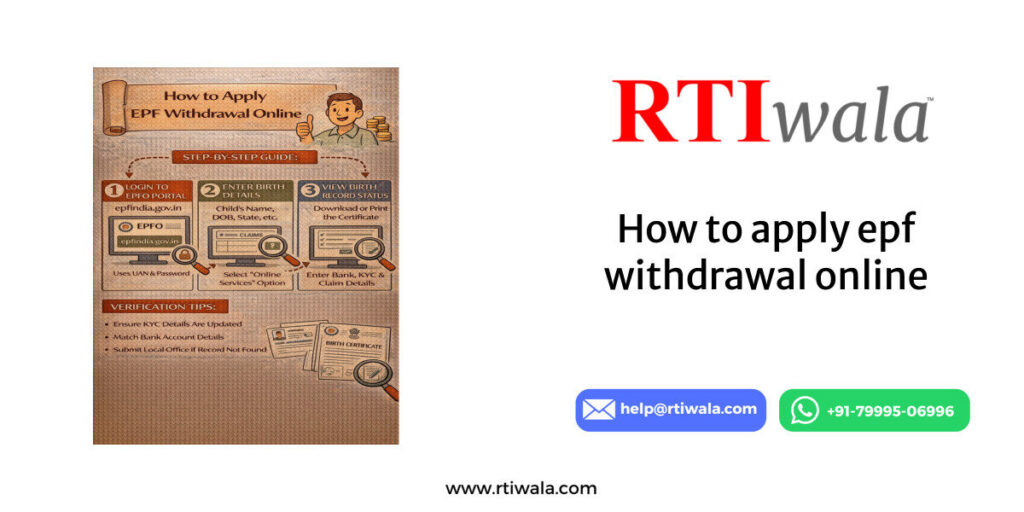
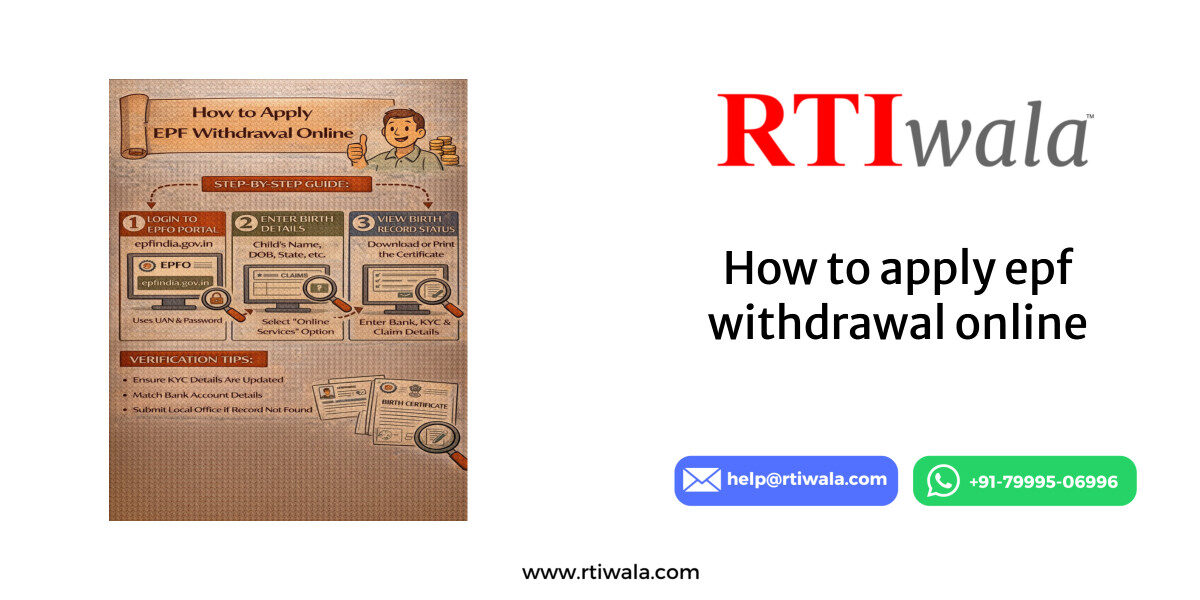
How to apply epf withdrawal online by RTIwala
  1. Who Is Eligible to Apply EPF Withdrawal Online in India
  2. Documents and Details Required Before Applying EPF Withdrawal Online
  3. Step-by-Step Process to Apply EPF Withdrawal Online Through EPFO Portal
  4. Common Errors While Applying EPF Withdrawal Online and How to Avoid Them
  5. How to Check EPF Withdrawal Claim Status After Applying Online
  6. What to Do If EPF Withdrawal Is Delayed, Rejected, or Amount Not Credited

Who Is Eligible to Apply EPF Withdrawal Online in India

EPF withdrawal online is allowed only when specific eligibility conditions are met as per rules of the Employees’ Provident Fund Organisation (EPFO). Understanding eligibility is critical because even a small mismatch can lead to rejection or long delays.

An EPF member can apply for online withdrawal only if the UAN (Universal Account Number) is active and linked correctly with Aadhaar, PAN, and bank details. Without this linkage, the online option will not work, regardless of employment status.

You are eligible to apply EPF withdrawal online if:

  • UAN is activated on the EPFO portal
  • Aadhaar is linked and verified with UAN
  • PAN is linked (mandatory if withdrawal exceeds ₹50,000)
  • Bank account is linked and approved by employer
  • Personal details match exactly across all records

Employment status also plays a major role in eligibility. Online EPF withdrawal is generally permitted after leaving employment, but partial withdrawals are allowed during service for specific reasons.

Employment-based eligibility conditions:

  • Unemployed for 2 months → Full PF withdrawal allowed
  • Unemployed for 1 month → Partial withdrawal (employee share only)
  • Currently employed → Partial withdrawal for defined purposes

Partial withdrawal is allowed for:

  • Medical emergencies
  • Home purchase or construction
  • Home loan repayment
  • Marriage (self, sibling, or children)
  • Education of children
  • Pre-retirement after age 54

Eligibility also depends on service duration. For example, house-related withdrawals usually require at least 5 years of service, while marriage or education requires 7 years of contribution.

Important eligibility cautions:

  • Name, DOB, or father’s name mismatch makes you ineligible online
  • Employer KYC approval is mandatory
  • Multiple PF accounts not merged can block claims

If these eligibility conditions are not met, the EPFO portal may show options but the claim will either fail silently or get rejected during processing.

EPF withdrawal delayed, rejected, or amount not credited? RTIwala finds the exact cause and fixes it fast through official action—contact now.
📞 Call: +91-7999-50-6996
💬 WhatsApp: https://help.rti.link/
🌐 www.rtiwala.com

Documents and Details Required Before Applying EPF Withdrawal Online

Having all documents ready before applying EPF withdrawal online is crucial. Most rejections happen due to incorrect or incomplete KYC data rather than eligibility issues.

The EPFO system automatically validates documents with government databases. Even a minor spelling difference can cause verification failure, leading to rejection or indefinite delay.

Mandatory details required for EPF withdrawal online:

  • Active UAN
  • Aadhaar number linked with UAN
  • Bank account number and IFSC code
  • PAN (mandatory for higher withdrawals)
  • Correct date of exit updated by employer

Your Aadhaar must be linked and authenticated. EPFO uses Aadhaar OTP-based verification to validate the claim. Without Aadhaar authentication, online withdrawal is not possible.

Aadhaar-related requirements:

  • Name on Aadhaar must match EPFO records
  • Mobile number linked with Aadhaar must be active
  • Aadhaar should be verified (not pending)

Bank details are another common failure point. The EPF amount is credited only to the bank account linked with UAN, not to any other account.

Bank details checklist:

  • Account should be active and in your name
  • IFSC code must be correct
  • Joint accounts may cause rejection
  • Employer approval of bank details is mandatory

PAN is required if the withdrawal amount exceeds ₹50,000 and service is less than 5 years. Without PAN, tax deduction increases and claims may get flagged.

PAN-related rules:

  • PAN must be linked and verified
  • Name on PAN should match EPFO records
  • Missing PAN leads to higher TDS

Another critical requirement is the date of exit, which must be updated by the employer. Without this, the system will not allow final settlement claims.

Exit date requirements:

  • Employer must update last working day
  • Reason for exit should be correctly selected
  • Exit date should not overlap with current employment

Common document-related mistakes to avoid:

  • Mismatch in name spelling across documents
  • Old or closed bank accounts
  • Inactive Aadhaar-linked mobile number
  • Unapproved KYC by employer

Preparing these documents in advance ensures a smooth EPF withdrawal process and prevents unnecessary delays or rejections

Step-by-Step Process to Apply EPF Withdrawal Online Through EPFO Portal

Applying for EPF withdrawal online is a structured process, but even a small mistake can delay the claim. The online facility is provided by the Employees’ Provident Fund Organisation (EPFO) to reduce paperwork and speed up settlements.

Before starting, ensure all KYC details are approved. The EPFO portal does not allow submission if Aadhaar, PAN, or bank details are pending verification.

Step 1: Login to EPFO Member Portal

Visit the official EPFO member portal and log in using the UAN and password. An OTP will be sent to the Aadhaar-linked mobile number for authentication.

Important checks at login stage:

  • UAN must be active
  • Mobile number linked with Aadhaar should be accessible
  • Incorrect OTP attempts may temporarily block login

Step 2: Verify KYC and Service Details

After login, check KYC status under the “Manage” section. All entries should show “Approved” by the employer.

Verify the following carefully:

  • Name spelling (as per Aadhaar)
  • Bank account number and IFSC
  • PAN verification status
  • Service history and exit date

If any detail is incorrect, do not proceed with the claim. Correction after submission is not possible.

Step 3: Go to ‘Online Services’ → ‘Claim (Form-31, 19, 10C)’

Click on the claim option. The system will auto-fetch personal and employment details.

At this stage, the portal checks eligibility based on:

  • Employment status
  • Date of exit
  • Service duration
  • KYC completeness

If the claim option is not visible, it usually means eligibility conditions are not fulfilled.

Step 4: Verify Bank Account Using OTP

Enter the bank account number linked with UAN and request OTP verification. This step confirms the payout account.

Key points to note:

  • Only one verified bank account is allowed
  • Account must be in the member’s name
  • Any mismatch results in instant failure

Step 5: Select Claim Type

Choose the appropriate claim form based on requirement:

  • Form 19 – Final PF settlement
  • Form 10C – Pension withdrawal
  • Form 31 – Partial withdrawal

Select the reason carefully, especially for partial withdrawals, as each option has service-year conditions.

Step 6: Submit Claim After Aadhaar OTP

Authenticate the claim using Aadhaar OTP. Once submitted, a claim reference number is generated.

After submission:

  • Claim goes for automated and employer validation
  • Status changes from “Submitted” to “Under Process”
  • Amount is processed based on EPFO timelines

Submitting multiple claims for the same period can lead to rejection, so wait for the final outcome.

EPF withdrawal delayed, rejected, or amount not credited? RTIwala finds the exact cause and fixes it fast through official action—contact now.
📞 Call: +91-7999-50-6996
💬 WhatsApp: https://help.rti.link/
🌐 www.rtiwala.com

Common Errors While Applying EPF Withdrawal Online and How to Avoid Them

Most EPF withdrawal rejections happen due to avoidable errors. These errors are not always clearly explained by EPFO, leaving applicants confused.

Error 1: Name or DOB Mismatch

Mismatch between Aadhaar, PAN, and EPFO records is the most common reason for failure.

How to avoid:

  • Ensure name format matches Aadhaar exactly
  • Check initials, spacing, and spelling
  • Correct details before submitting claim

Error 2: Exit Date Not Updated or Incorrect

If the employer has not updated the date of exit, final settlement claims will not process.

How to avoid:

  • Confirm exit date is updated in service history
  • Ensure exit reason is correctly selected
  • Follow up with employer before applying

Error 3: Bank Account Issues

Wrong IFSC, closed accounts, or joint accounts can block credit even after approval.

How to avoid:

  • Use an active single-holder bank account
  • Re-check IFSC and account number
  • Wait for employer approval of bank details

Error 4: PAN Not Linked for High-Value Claims

Claims above ₹50,000 without PAN attract high TDS or get flagged.

How to avoid:

  • Link and verify PAN before claim
  • Ensure PAN name matches EPFO records
  • Avoid last-minute PAN updates

Error 5: Claim Rejected Without Clear Reason

Sometimes claims are rejected with generic remarks like “Member data mismatch.”

How to avoid:

  • Re-check all KYC approvals
  • Avoid multiple submissions
  • Track claim remarks carefully

Error 6: Partial Withdrawal Reason Misuse

Selecting the wrong purpose for Form 31 leads to rejection.

How to avoid:

  • Check service-year eligibility
  • Select correct withdrawal purpose
  • Avoid assumptions about eligibility

Understanding these steps and errors significantly reduces the risk of rejection and ensures faster EPF withdrawal processing.

How to Check EPF Withdrawal Claim Status After Applying Online

Once an EPF withdrawal claim is submitted online, tracking the status correctly is essential. Many applicants panic unnecessarily because they misinterpret status messages shown on the Employees’ Provident Fund Organisation (EPFO) portal.

The claim status reflects the internal processing stage and does not always mean approval or rejection immediately. Each status has a specific meaning that determines the next action.

Step-by-Step Process to Check EPF Claim Status

Log in to the EPFO member portal using UAN and password. Navigate to Online Services → Track Claim Status. No OTP is required for this step.

What you should verify on the status page:

  • Claim type submitted (Form 19 / 10C / 31)
  • Date of submission
  • Current processing stage
  • Office handling the claim

Common EPF Claim Status Meanings Explained

Understanding the exact meaning of each status avoids confusion and repeated follow-ups.

Key status messages and their meaning:

  • Claim Submitted → Application received successfully
  • Under Process → Claim under scrutiny by EPFO
  • Settled → Amount approved and sent to bank
  • Rejected → Claim denied due to discrepancy
  • Payment Sent → Bank transfer initiated

“Settled” does not always mean money is credited instantly. It only confirms approval from EPFO.

How Long Each Status Usually Takes

Timelines vary depending on EPFO office workload and accuracy of details.

Average processing timeline:

  • Under Process → 7–15 working days
  • Settled → Payment initiated within 1–3 days
  • Bank credit → 1–5 working days after settlement

If the status remains unchanged beyond 20 days, it indicates an internal delay or document verification issue.

Checking Bank Credit Status Separately

After settlement, always check the bank account linked with UAN. EPFO does not send SMS confirmations consistently.

Important bank checks:

  • Verify credit in linked bank account only
  • Check account statement, not just SMS
  • Allow weekends and bank holidays

If payment fails due to bank issues, the amount may return to EPFO, causing further delay.

EPF withdrawal delayed, rejected, or amount not credited? RTIwala finds the exact cause and fixes it fast through official action—contact now.
📞 Call: +91-7999-50-6996
💬 WhatsApp: https://help.rti.link/
🌐 www.rtiwala.com

What to Do If EPF Withdrawal Is Delayed, Rejected, or Amount Not Credited

Delays or rejections in EPF withdrawal are common, but ignoring them can lead to months of waiting. The solution depends on the exact problem stage.

Situation 1: Claim Stuck Under Process for Many Days

If the claim shows “Under Process” for more than 20 days, it usually means internal verification is pending.

Immediate actions to take:

  • Re-check KYC approval status
  • Verify exit date and service details
  • Avoid filing duplicate claims

Repeated submissions reset timelines and often worsen delays.

Situation 2: Claim Settled but Amount Not Credited

This is one of the most confusing scenarios for EPF members. Settlement means approval, not successful credit.

Possible reasons for non-credit:

  • Incorrect IFSC or bank account issue
  • Inactive or closed bank account
  • Bank-side processing delay

What to do next:

  • Wait 3–5 working days after settlement
  • Check bank statement thoroughly
  • Monitor for return or re-credit status

If the amount is returned to EPFO, the status may not update automatically.

Situation 3: Claim Rejected

Rejection usually comes with a short remark, but the explanation is often unclear.

Common rejection reasons:

  • Name or DOB mismatch
  • Exit date not updated
  • PAN or Aadhaar verification failure
  • Incorrect partial withdrawal reason

Correct approach after rejection:

  • Identify exact mismatch from remarks
  • Correct details first
  • Submit a fresh claim only after correction

Reapplying without fixing errors leads to repeated rejection.

Situation 4: No Update Even After Multiple Follow-Ups

If the portal shows no progress and support channels are unresponsive, escalation becomes necessary.

Escalation options available:

  • Raise grievance on EPFO grievance portal
  • File a written follow-up request
  • Seek official clarification through RTI

Escalation should be structured and supported with claim reference numbers.

When RTI Becomes Necessary

In cases of unexplained delay, silent rejection, or missing payment confirmation, RTI helps uncover the real reason.

RTI can help obtain:

  • File movement status
  • Officer handling the claim
  • Reason for delay or non-payment
  • Proof of payment initiation

This forces accountability and speeds up resolution in stuck cases.

FAQs – EPF Withdrawal Online in India

1. Why is my EPF withdrawal claim rejected even though all documents are uploaded?

EPF claims are often rejected due to data mismatch between Aadhaar, PAN, bank details, and EPFO records. Even minor spelling or DOB differences can trigger rejection despite documents being uploaded.

2. How long does EPF withdrawal take after claim status shows “Settled”?

After “Settled” status, EPF amount is usually credited within 1–5 working days. Bank holidays, incorrect IFSC, or inactive accounts can cause additional delay.

3. Can I apply EPF withdrawal online while still working in a company?

Yes, partial EPF withdrawal is allowed during employment for specific reasons like medical emergencies, education, marriage, or house-related purposes, subject to service-year conditions.

4. Why is EPF withdrawal option not showing on the EPFO portal?

The withdrawal option may not appear if UAN is inactive, KYC is not approved, Aadhaar is not linked, or the employer has not updated the date of exit.

5. What should I do if EPF claim is settled but amount not credited to bank?

First wait 3–5 working days, then verify bank details linked with UAN. If the amount is still not credited, the payment may have failed or returned to EPFO and needs escalation.

6. Is PAN mandatory for EPF withdrawal online?

PAN is mandatory if the withdrawal amount exceeds ₹50,000 and total service is less than 5 years. Without PAN, higher TDS applies and claims may face additional scrutiny.

7. How many times can I apply for EPF withdrawal if my claim gets rejected?

There is no fixed limit, but reapplying without correcting the rejection reason leads to repeated failure. Always fix the exact issue before submitting a fresh claim.
Tags: EPF claim processEPF withdrawal onlineEPFO online claimPF withdrawal IndiaRTIwala
Previous Post

CRSORGI Birth Public Search – How to Check Birth Records Online in India

Next Post

Get service record for government employees

Leave a Reply Cancel reply

Your email address will not be published. Required fields are marked *

Get Your Free Consultation

Contact Form
CRSORGI Birth Certificate Search – Verify Online by RTIwala

CRSORGI Birth Certificate Search – Verify Online

January 22, 2026
Get service record for government employees by RTIwala

Get service record for government employees

January 22, 2026
How to apply epf withdrawal online by RTIwala

How to apply EPF Withdrawal Online

January 22, 2026
CRSORGI Birth Public Search – How to Check Birth Records Online in India by RTIwala

CRSORGI Birth Public Search – How to Check Birth Records Online in India

January 22, 2026
Check old age (vridha) pension beneficiary status by RTIwala

Check old age (vridha) pension beneficiary status

January 22, 2026
Check Social Security Pension Beneficiary Status by RTIwala

Check Social Security Pension Beneficiary Status

January 22, 2026
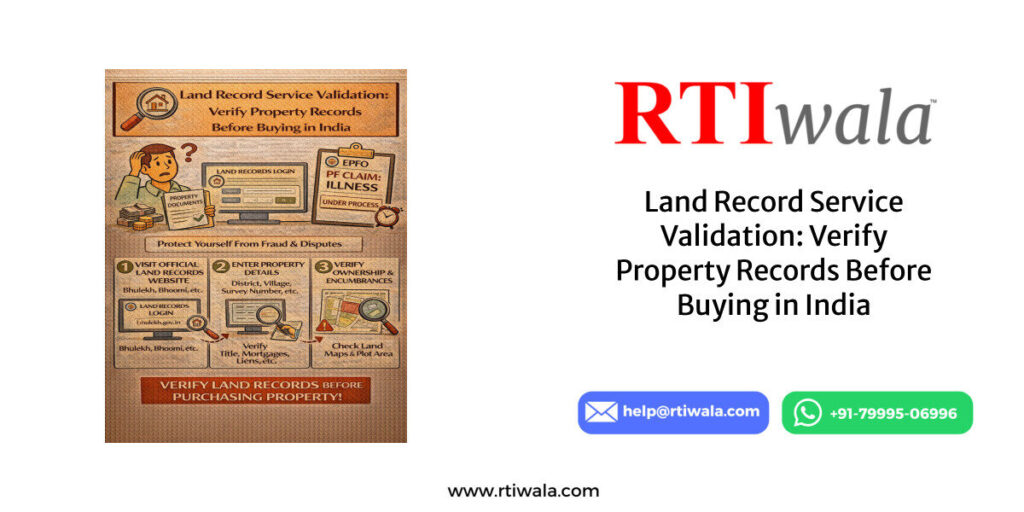
Land Record Service Validation: Verify Property Records Before Buying in India by RTIwala

Land Record Service Validation: Verify Property Records Before Buying in India

January 22, 2026
what is the retirement age in private companies in india by RTIwala

what is the retirement age in private companies in india

January 22, 2026
Next Post
Get service record for government employees by RTIwala

Get service record for government employees

RTIwala

Empowering the masses...

RTIwala is a VC-backed legaltech startup empowering the masses through affordable result-driven legal solutions. We're helping people in exercising their Right to Information, Consumer Rights and fixing legal issues.

  • Join AskRTIwala now!

About

  • Careers
  • Our Blog
  • About Us
  • The Team
  • Apply Guest Author

Products

  • Online RTI Filing
  • First Appeal Filing
  • Anonymous RTI Filing
  • 10 min Micro Consultation
  • 20 min Micro Consultation

Personal

  • Micro Consultation
  • Follow-up Add-ons
  • Online RTI Solution
  • First Appeal Solution
  • Anonymous RTI Solution

Business

  • Micro Consultation
  • Follow-up Add-ons
  • Online RTI Solution
  • First Appeal Solution
  • Anonymous RTI Solution

Social

  • Micro Consultation
  • Follow-up Add-ons
  • Online RTI Solution
  • First Appeal Solution
  • Anonymous RTI Solution
Load More

Rw Gyaan

  • Data
  • Crime
  • Archive
  • Entertainment
  • Explains
  • Interviews
  • Guest Post
  • Ask RTIwala
  • Sports
  • Politics
  • Reveals
  • Reviews
  • Other
  • Views
  • Trending
  • How to File an RTI Online?
  • How to File an Anonymous RTI?
  • What is the Process of First Appeal?
  • What is the Right to Information (RTI) Act?

File RTI Online Across States/Union Territories

  • RTI Online Goa
  • RTI Online Bihar
  • RTI Online Assam
  • RTI Online Chandigarh
  • RTI Online Chhattisgarh
  • RTI Online Andhra Pradesh
  • RTI Online Arunachal Pradesh
  • RTI Online Kerala
  • RTI Online Haryana
  • RTI Online Karnataka
  • RTI Online Jharkhand
  • RTI Online Puducherry
  • RTI Online Madhya Pradesh
  • RTI Online Himachal Pradesh
  • RTI Online Punjab
  • RTI Online Odisha
  • RTI Online Manipur
  • RTI Online Mizoram
  • RTI Online Nagaland
  • RTI Online Meghalaya
  • RTI Online Lakshadweep
  • RTI Online Delhi
  • RTI Online Sikkim
  • RTI Online Tripura
  • RTI Online Telangana
  • RTI Online Tamil Nadu
  • RTI Online Uttarakhand
  • RTI Online Uttar Pradesh
  • RTI Online Jammu and Kashmir
  • RTI Online Gujarat
  • RTI Online Ladakh
  • RTI Online Rajasthan
  • RTI Online Maharashtra
  • RTI Online West Bengal
  • RTI Online Daman and Diu
  • RTI Online Dadra & Nagar Haveli
  • RTI Online Andaman and Nicobar

Get in touch with us

Reach Out to Our Team

Give us a call

+91 79995 06996

Send us an email

help@rtiwala.com

Connect with us

Facebook Youtube Whatsapp Instagram Linkedin
  • ©2021-25 RTIwala | All Rights Reserved
  • Disclaimer
  • Help Center
  • Refund Policy
  • Privacy Policy
  • Terms of Services

Welcome Back!

Login to your account below

Forgotten Password? Sign Up

Create New Account!

Fill the forms below to register

All fields are required. Log In

Retrieve your password

Please enter your username or email address to reset your password.

Log In
No Result
View All Result
  • Home
  • For Startups
  • Ask RTIwala
  • Crime
  • Data
  • Explains
  • Interviews
  • Politics
  • Reveals

© 2024 RTIwala