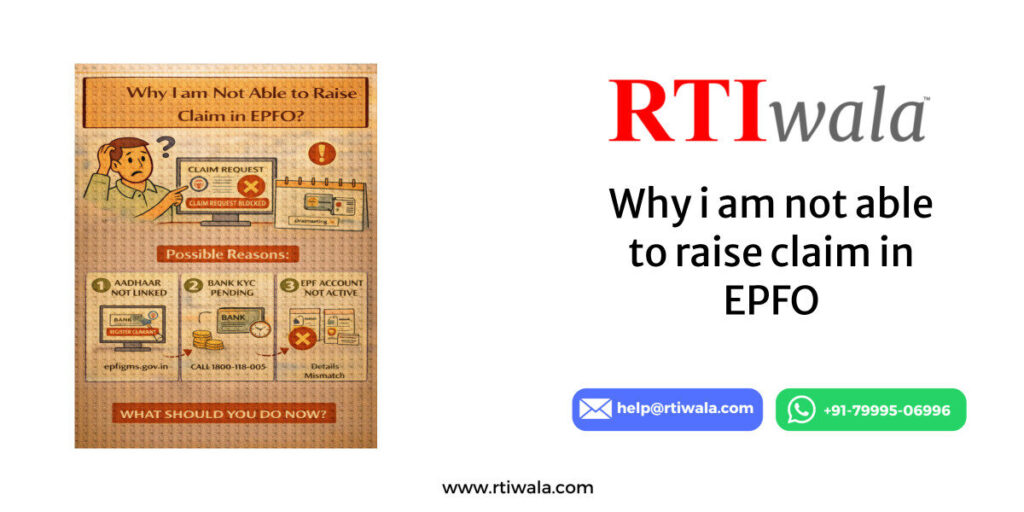



































Why EPFO Claim Option Is Not Showing on the Portal
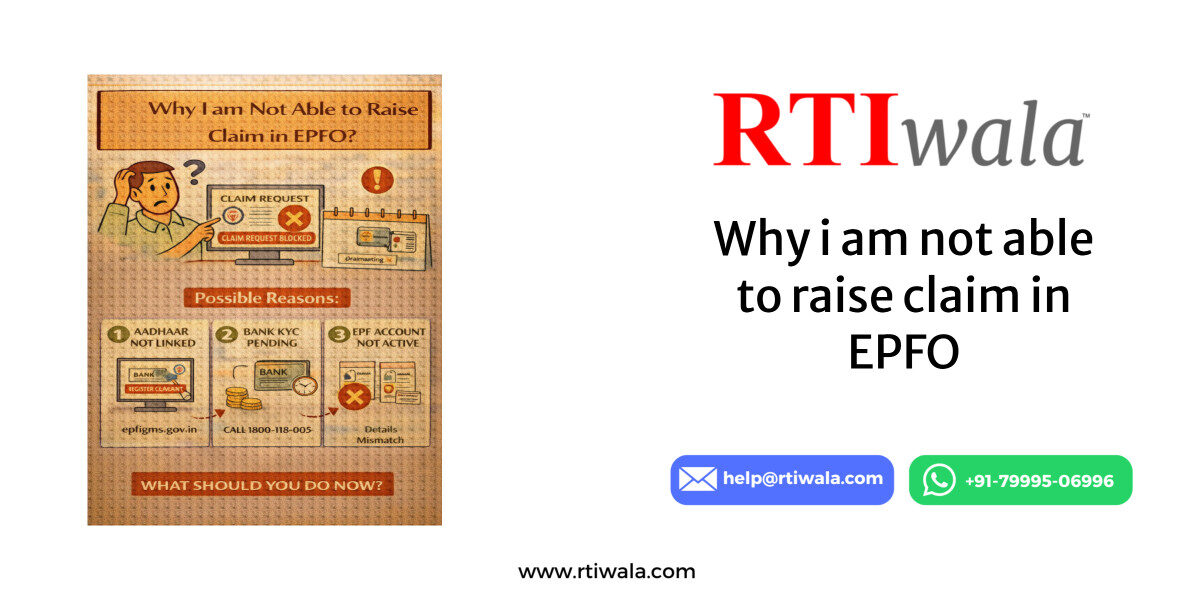
If the EPF claim option is not visible after logging into the Employees’ Provident Fund Organisation Member Portal, it usually indicates a backend eligibility or compliance issue, not a technical glitch.
Most users face this problem even after completing KYC because the portal only enables claims after all mandatory conditions are met. The system auto-hides the claim option if any single check fails.
Common reasons the claim option does not appear:
- Employment status is still marked as “Active”
- Exit date not updated by employer
- Aadhaar-UAN linkage incomplete
- KYC approved partially but not digitally validated
What you should immediately verify:
- Login → Manage → KYC → check Approved status
- Login → Service History → confirm Date of Exit
- Ensure bank details show “Verified by Employer”
Common Eligibility Reasons Why EPF Claim Cannot Be Raised
EPFO follows rule-based eligibility checks before allowing any online claim. These checks are non-negotiable and applied uniformly across India.
Below are the most frequent eligibility reasons due to which EPF claims cannot be raised online.
Employment Period Requirement Not Met
To raise a final EPF settlement, you must:
- Be unemployed for minimum 2 months
- OR file a partial claim only if eligible under EPFO rules
If the portal still detects current employment, the claim option remains hidden.
Service History Mismatch
Your service history must clearly show:
- Correct employer name
- Accurate joining and exit dates
- No overlapping employment records
If service history is incomplete or duplicated:
- Claim option will not appear
- Portal assumes active employment
Multiple UANs Linked to One Aadhaar
Many users unknowingly have multiple UANs due to job changes.
This leads to:
- Aadhaar validation conflict
- Claim eligibility failure
- Portal disabling the claim option
✔ Solution:
- Only one active UAN should be linked to Aadhaar
- Older UANs must be merged or deactivated
Partial KYC Completion
Even if KYC shows “Approved,” it may still be partially validated.
To be fully eligible:
- Aadhaar must be digitally verified
- Bank account must be NPCI-verified
- PAN (if linked) must match EPFO records exactly
Mismatch in name, DOB, or IFSC is enough to block the claim.
Claim Restricted Due to Employer Compliance
Sometimes the issue is not on your side.
The claim option is blocked if:
- Employer has not filed ECR correctly
- Employer has not updated exit date
- Employer establishment is under EPFO compliance review
In such cases, employees cannot self-resolve the issue from the portal.
EPF claim option not showing online? RTIwala identifies the exact block and fixes it fast—contact now.
📞 Call: +91-7999-50-6996
💬 WhatsApp: https://help.rti.link/
🌐 www.rtiwala.com
KYC Not Approved or Bank Details Error Causing Claim Failure
One of the most common and hidden reasons EPF claims fail is incomplete or incorrectly validated KYC, even when the portal shows “Approved.” The Employees’ Provident Fund Organisation portal runs multiple backend checks that users cannot see.
Many users assume KYC is correct because it appears green, but approval ≠ eligibility unless every KYC element is digitally validated.
Aadhaar KYC Issues That Block Claims
Aadhaar is the primary identity validator for EPFO claims. If Aadhaar verification fails at any level, claims are blocked automatically.
Common Aadhaar-related problems:
- Name mismatch between Aadhaar and EPFO records
- Date of birth mismatch
- Aadhaar not e-KYC authenticated
- Aadhaar linked but not digitally verified
What you must check immediately:
- Aadhaar status shows “Verified with UIDAI”
- Name spelling exactly matches Aadhaar (even spaces matter)
- No pending Aadhaar correction requests
Even a minor mismatch keeps the claim option disabled.
Bank Details Errors That Cause Silent Claim Failure
Bank verification errors are another major reason claims are not allowed or fail after submission.
Common bank-related issues:
- IFSC code mismatch or outdated IFSC
- Bank account not verified by employer
- Account not mapped with NPCI
- Joint account issues or inactive account
Mandatory conditions for bank eligibility:
- Bank account must be single & active
- Account holder name must match EPFO records
- Employer must digitally approve bank details
If bank KYC is incomplete:
- Claim option may not appear
- OR claim gets rejected after submission
PAN KYC Problems (If PAN Is Linked)
PAN is optional but once linked, it becomes mandatory to be accurate.
PAN-related blockers:
- Name mismatch with EPFO or Aadhaar
- PAN not verified by Income Tax database
- PAN linked but validation pending
If PAN validation fails:
- Online claim remains blocked
- Partial claims may also be disabled
What You Should Do First
Before attempting any claim:
- Recheck Manage → KYC section carefully
- Do not rely only on “Approved” tag
- Confirm digital verification status for Aadhaar & bank
If corrections are needed:
- Update KYC
- Wait for employer re-approval
- Recheck after 72–96 hours
EPF claim option not showing online? RTIwala identifies the exact block and fixes it fast—contact now.
📞 Call: +91-7999-50-6996
💬 WhatsApp: https://help.rti.link/
🌐 www.rtiwala.com
Employer Approval or Exit Date Not Updated in EPFO Records
If your employer has not updated or approved exit details, EPFO treats you as currently employed, even if you left the job months ago.
This is a system-level block and cannot be fixed by the employee alone.
Exit Date Not Updated – The Biggest Claim Blocker
EPFO allows final settlement only after:
- Employer updates Date of Exit
- Reason for exit is correctly mentioned
- Exit date matches employment records
If exit date is missing or incorrect:
- Claim option will not appear
- Portal assumes active employment
You can verify this by checking:
- View → Service History
- Confirm whether exit date is visible
If exit date is blank:
- Online claim is impossible
- Partial claim may also be restricted
Employer Digital Approval Pending
Even if exit date is entered, it must be:
- Digitally approved
- Synced with EPFO backend
Claims remain blocked if:
- Employer approval is pending
- Establishment is under compliance review
- Employer has not filed ECR correctly
Employees cannot override this from the portal.
Employer Closed / Not Responding – What Happens Then
If the employer:
- Is shut down
- Is unresponsive
- Refuses to update exit details
Then:
- EPF claim option stays hidden indefinitely
- Portal provides no direct resolution path
This is where most users get stuck for months.
Practical Steps You Can Take
If employer-related issues exist:
- Raise grievance on EPFO portal
- Keep proof of resignation & last working day
- Do not submit repeated claims blindly
Without employer correction:
- Online claim will not work
- Offline submissions also face delays
Why Most Users Fail at This Stage
Because:
- EPFO does not notify the exact reason
- Errors are backend and silent
- Users wait hoping the system auto-fixes
It never does.
EPF claim option not showing online? RTIwala identifies the exact block and fixes it fast—contact now.
📞 Call: +91-7999-50-6996
💬 WhatsApp: https://help.rti.link/
🌐 www.rtiwala.com
EPFO Claim Blocked Due to Aadhaar or UAN Verification Issues
Even when all visible details appear correct, Aadhaar–UAN verification issues can silently block EPF claims at the backend level. The Employees’ Provident Fund Organisation system does not allow any claim unless Aadhaar and UAN are fully synchronized and authenticated.
This issue is extremely common and often misunderstood by users.
Aadhaar–UAN Link Exists but Verification Is Incomplete
Many users assume linking Aadhaar is enough. It is not.
For claims to be enabled:
- Aadhaar must be successfully authenticated
- UAN profile must reflect verified Aadhaar
- UIDAI response must be positive and synced
If Aadhaar is linked but not authenticated:
- Claim option will not appear
- No error message is shown
- Portal continues to block silently
You must check:
- Aadhaar status = Verified
- Not “Pending”, “Seeded”, or “Under Process”
Name or DOB Mismatch Between Aadhaar and UAN
Even minor mismatches cause verification failure.
Common mismatch issues:
- Spelling differences (initials, extra spaces)
- Expanded name vs short name
- Date of birth difference by even one digit
When this happens:
- Aadhaar verification fails
- UAN becomes partially inactive
- EPF claim option stays hidden
Correction requires:
- Aadhaar correction OR
- Joint declaration through employer
- Fresh approval and UIDAI sync
Until resolved, no online claim is possible.
Multiple UANs Linked to One Aadhaar
This is a critical but overlooked problem.
If Aadhaar is linked to:
- More than one UAN
- Old and new employment records
Then EPFO system:
- Flags verification conflict
- Blocks claim functionality
- Prevents digital authentication
Even if one UAN is active, the conflict must be resolved.
Only one Aadhaar → one active UAN is allowed.
Aadhaar Temporarily Locked or UIDAI Sync Failure
In some cases:
- Aadhaar is temporarily locked at UIDAI
- Biometric mismatch causes authentication failure
- UIDAI server response fails during sync
These issues:
- Do not show on EPFO dashboard
- Still block claims completely
Unless Aadhaar authentication is successful at UIDAI level, EPFO will not proceed.
EPF claim option not showing online? RTIwala identifies the exact block and fixes it fast—contact now.
📞 Call: +91-7999-50-6996
💬 WhatsApp: https://help.rti.link/
🌐 www.rtiwala.com
What to Do If EPFO Claim Is Still Not Allowed Online
If you have checked:
- KYC approval
- Bank verification
- Employer exit update
- Aadhaar & UAN linkage
And the EPF claim option is still not available, it means the issue is backend-level and non-visible.
At this stage, repeating portal actions will not help.
Step 1: Stop Random Corrections
Do NOT:
- Re-upload KYC repeatedly
- Submit multiple grievances without clarity
- Attempt partial claims blindly
This often worsens the issue and resets verification cycles.
Step 2: Identify the Exact Backend Block
You must determine whether the block is due to:
- Aadhaar authentication failure
- Employer compliance restriction
- UAN conflict
- UIDAI sync issue
- EPFO internal validation error
These details are not visible to users on the portal.
Step 3: Use Structured Escalation
Only specific escalation paths work:
- Correct department
- Correct documentation
- Correct wording and reference points
General complaints usually get generic replies and no resolution.
Step 4: Decide the Right Route (Online vs Assisted)
If the claim is blocked due to:
- Employer non-cooperation
- Aadhaar/UAN conflict
- Compliance or audit flags
Then:
- Online self-filing will not work
- Assisted resolution becomes necessary
Without resolving the root cause, claims can remain stuck for months or even years.
Frequently Asked Questions (FAQs)
1. Why is my EPF claim option not showing on the EPFO portal?
The claim option does not appear if any backend eligibility check fails, such as exit date not updated, KYC not digitally verified, Aadhaar–UAN mismatch, or employer approval pending in Employees’ Provident Fund Organisation records.
2. Can I file an EPF claim if my employer has not updated my exit date?
No. EPFO treats you as actively employed until the employer updates and digitally approves the exit date. Without this update, the online EPF claim option remains blocked.
3. My KYC shows “Approved” but EPF claim is still not allowed—why?
“Approved” does not always mean digitally verified. Aadhaar, bank account, or PAN may be approved but not authenticated at backend systems, which silently blocks EPF claims.
4. Does Aadhaar–UAN mismatch block EPF claims?
Yes. Any mismatch in name, date of birth, or multiple UANs linked to one Aadhaar can cause verification failure and prevent the EPF claim option from appearing online.
5. How long after leaving a job can I apply for EPF final settlement?
You can apply for final settlement only after 2 months of unemployment, provided the exit date is updated, KYC is fully verified, and there are no Aadhaar or employer-side issues.
6. What should I do if my EPFO claim option is blocked even after all checks?
If all visible details are correct and the claim option is still unavailable, the issue is backend-level. Repeated portal actions won’t help—you need precise identification of the block and structured escalation.
7. Will the EPF claim option appear automatically after some time?
No. The claim option does not auto-enable with time. It appears only after all backend validations are successfully completed and unresolved issues are corrected.