

































How to File RTI Online in Andhra Pradesh – Step by Step
Filing an RTI online in Andhra Pradesh allows citizens to seek information from government departments without visiting offices. This process is useful when information is delayed, denied, or unclear. The online method saves time, creates a digital record, and ensures accountability. Anyone can file an RTI from anywhere using a valid ID and basic details. Below is the exact step-by-step process followed on the official portal.
Step 1: Access the Andhra Pradesh RTI Online System
Start by opening the official RTI online platform used by Andhra Pradesh government departments. Ensure you are using a stable internet connection and a desktop or mobile browser. The portal works best on updated browsers like Chrome or Edge. Avoid third-party websites to prevent data misuse or incorrect filing.
Step 2: Register or Login to the Portal
If you are a first-time user, registration is mandatory before filing an RTI application. You must provide basic details such as name, mobile number, and email ID. An OTP is sent for verification, after which your account is created. Existing users can directly log in using their registered credentials.

Step 3: Select the Public Authority Carefully
After login, you must choose the correct public authority or department. This step is crucial because selecting the wrong authority leads to transfer delays or rejection. Always select the department that actually holds the information. Do not guess—incorrect selection weakens your RTI.
Key points while selecting authority:
- Choose department based on the information holder, not convenience
- District-level information goes to district offices
- State-level schemes go to concerned state departments
Step 4: Draft the RTI Application Clearly
Enter your RTI question in the application text box. Keep the language clear, specific, and factual. Avoid opinions, explanations, or complaints. Ask for documents, records, dates, approvals, or status information only. Vague or emotional questions often lead to rejection.
Important drafting rules:
- Ask one subject at a time
- Avoid “why” and “how” questions
- Use simple sentences and official terms
Step 5: Upload Supporting Documents (If Required)
In most cases, no document is needed. However, if the portal asks for identity proof or reference documents, upload clear and readable files. Ensure file size and format meet portal guidelines. Blurred or wrong documents may cause processing delays.
Step 6: Review and Submit the Application
Before final submission, carefully review all entered details. Check the department name, RTI text, and personal information. Once submitted, editing is usually not allowed. After submission, the system redirects you to the payment page.
RTI filing delayed, rejected, or unanswered? RTIwala resolves your RTI issue legally and fast:-
📞 Call: +91-7999-50-6996
💬 WhatsApp: https://help.rti.link/
🌐 www.rtiwala.com
Official RTI Online Portal for Andhra Pradesh – Link, Login & Process
The Andhra Pradesh government uses a centralized RTI online system to accept applications digitally. This portal allows citizens to file RTI applications, track status, and receive replies online. Understanding how the portal works helps avoid technical errors and missed deadlines.
Official Portal Access
The RTI online filing for Andhra Pradesh is done through the government-approved RTI portal linked with state departments. Always verify that the portal URL belongs to a government domain. Fake or unofficial portals may misuse personal data or charge extra fees.
Login Process Explained
Once registered, users can log in anytime using their email ID or mobile number and password. OTP-based login may also be available for security. After login, the dashboard shows options like file RTI, track application, and view past submissions. Keep login credentials safe for future tracking.
Understanding the Application Dashboard
The dashboard is the control panel for all RTI activities. From here, users can:
- File a new RTI application
- View submitted RTI details
- Check current application status
- Download replies or documents
Each RTI application is assigned a unique registration number. This number is essential for tracking and appeals.
Portal Workflow After Submission
Once the RTI is submitted, it is electronically forwarded to the selected Public Information Officer (PIO). The date of submission recorded on the portal is considered the official filing date. The PIO must reply within the prescribed time limit under the RTI Act. All communication is reflected in the portal account.
Common Login & Portal Issues
Users sometimes face login or submission issues due to technical errors. These usually include session timeouts, OTP delays, or page loading problems. Such issues are generally temporary and can be resolved by retrying after some time or using another browser.
Basic precautions:
- Avoid multiple logins simultaneously
- Do not refresh during submission
- Always note the application number
Fees for Filing RTI Online in Andhra Pradesh and Payment Method
Understanding the RTI filing fee is essential before submitting an application in Andhra Pradesh. Many RTI applications get delayed or remain incomplete due to payment errors. The online portal allows digital payment, making the process faster and traceable. The fee structure is fixed under RTI rules and applies uniformly across departments.
RTI Application Fee in Andhra Pradesh
To file an RTI application online in Andhra Pradesh, a nominal government fee is required. This fee is mandatory for processing the application. Without successful payment, the RTI is not considered filed. The fee amount is affordable to ensure access for all citizens.
Key points about RTI fees:
- Standard RTI application fee
- Fee applies per RTI application
- Fee is non-refundable once paid
Who Is Exempted From Paying RTI Fees
Certain categories of applicants are exempted from paying the RTI application fee. These exemptions are provided to ensure inclusivity and access to information. However, proper proof must be available if exemption is claimed.
Fee exemption applies to:
- Applicants belonging to Below Poverty Line (BPL) category
- Valid BPL certificate details may be required
- False claims can lead to rejection
Online Payment Methods Available
The Andhra Pradesh RTI online portal supports digital payment modes only. Cash or offline payment is not allowed for online RTI filing. Payment must be completed in one session to avoid errors.
Commonly accepted payment methods:
- Debit cards
- Credit cards
- Net banking
- UPI (where enabled)
Always wait for payment confirmation before closing the browser.
Payment Confirmation and Receipt
After successful payment, the system generates a confirmation message. A digital receipt is linked to your RTI application number. This receipt acts as proof of payment and filing. It is advisable to download or screenshot the confirmation page.
Important precautions:
- Do not refresh during payment
- Ensure stable internet connection
- Note RTI registration number immediately
Common Payment Issues and Solutions
Sometimes payment may fail due to bank or server issues. In such cases, the amount may be debited but RTI not generated. If this happens, wait for 24 hours and check the RTI dashboard. Most failed transactions are auto-reversed.
If issues persist:
- Check bank statement
- Re-login and verify application status
- Use a different payment method if retrying
RTI filing delayed, rejected, or unanswered? RTIwala resolves your RTI issue legally and fast:-
📞 Call: +91-7999-50-6996
💬 WhatsApp: https://help.rti.link/
🌐 www.rtiwala.com
How to Track RTI Application Status Online in Andhra Pradesh
Tracking your RTI application status is crucial to ensure timely response from the department. The Andhra Pradesh RTI portal provides an online tracking system for transparency. Regular tracking helps you take timely action if the reply is delayed or incomplete.
RTI Application Number – Why It Matters
Once the RTI is filed, a unique application or registration number is generated. This number is the key to tracking and future appeals. Without it, status tracking is not possible. Always save this number securely.
The application number is used to:
- Track RTI status
- Download replies
- File First Appeal if required
Step-by-Step Process to Track RTI Status
To track RTI status online, log in to the same portal used for filing. Go to the “Track RTI Status” or “My Applications” section. Enter or select your application number. The system shows real-time status updates.
Typical RTI status messages include:
- Application submitted
- Under process with PIO
- Reply sent
- Transferred to another authority
Understanding Different RTI Status Updates
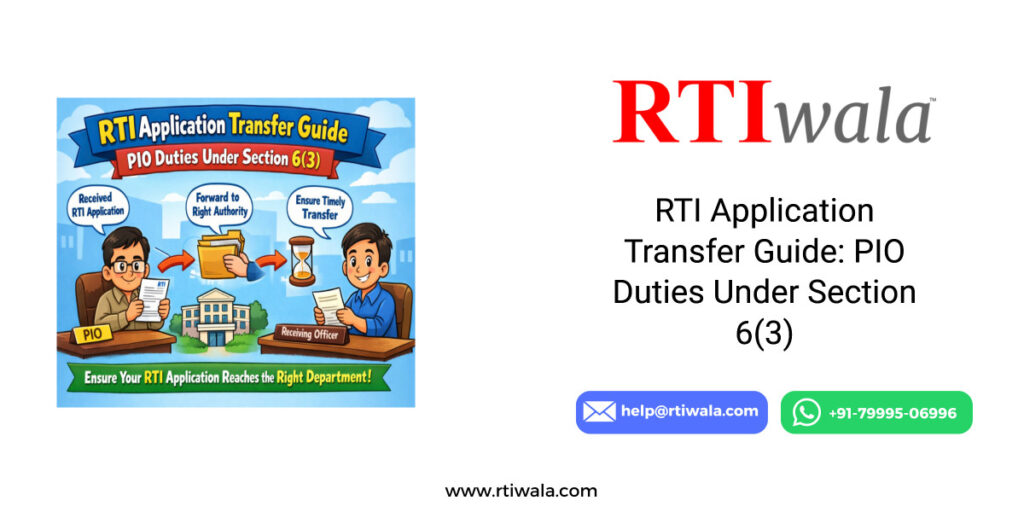
Each status message has a specific meaning. “Under process” means the PIO is examining the request. “Transferred” indicates the RTI has been moved to another department under Section 6(3). “Reply sent” means information has been uploaded.
Important tracking tips:
- Check status every 7–10 days
- Note reply upload date
- Download reply immediately once available
What If the Status Does Not Change
If the status remains unchanged for a long time, it usually indicates delay by the department. As per RTI Act, reply must be given within the prescribed time limit. Continuous delay strengthens your case for appeal.
Actions to consider:
- Keep screenshots of status
- Note submission and due dates
- Prepare for First Appeal if deadline passes
Tracking Without Login – Is It Possible
Some portals allow tracking using only the RTI registration number without login. However, full details and document downloads usually require login. For accurate and complete tracking, logging in is always recommended.
RTI Reply Time Limit in Andhra Pradesh and What to Do If No Response
Knowing the RTI reply time limit is critical for applicants in Andhra Pradesh. Many citizens wait endlessly without realizing that the law fixes a strict deadline. The RTI Act provides clear timelines, and delay itself becomes a valid ground for appeal. Monitoring the timeline helps you enforce your right effectively.
Official RTI Reply Time Limit
Once an RTI application is received by the Public Information Officer (PIO), the reply must be given within a fixed period. The countdown starts from the date shown on the RTI portal, not from when the officer reads it.
RTI reply timelines:
- 30 days from date of application receipt
- 48 hours if information concerns life or liberty
- 35 days if RTI is transferred from another authority
Failure to reply within this period is a legal violation.
What Counts as a Valid RTI Reply
A valid RTI reply must contain the information asked or a lawful rejection with reasons. Incomplete replies, vague statements, or irrelevant answers are treated as denial of information. Simply stating “information not available” without record search is not valid.
A proper RTI reply should:
- Address each query separately
- Provide documents or certified copies if requested
- Mention RTI sections if information is denied
What to Do If No Reply Is Received
If no reply is received within the time limit, you are legally entitled to file a First Appeal. You do not need to wait for any reminder or extension. Silence after the deadline is treated as “deemed refusal.”
Immediate actions to take:
- Note the RTI submission date
- Calculate the due date accurately
- Take screenshots of RTI status
RTI filing delayed, rejected, or unanswered? RTIwala resolves your RTI issue legally and fast:-
📞 Call: +91-7999-50-6996
💬 WhatsApp: https://help.rti.link/
🌐 www.rtiwala.com
Filing First Appeal for No Response
The First Appeal must be filed within 30 days after the reply deadline expires. It is filed against the PIO before the First Appellate Authority (FAA) of the same department. Delay strengthens your appeal case automatically.
Key appeal points:
- Mention “no reply received within time limit”
- Attach RTI application reference number
- Ask for penalty and information disclosure
Importance of Timeline Discipline
Strict timeline tracking ensures departments take RTI seriously. Applicants who miss appeal deadlines lose strong legal leverage. Keeping date records protects your rights and improves chances of getting information quickly.
Common Problems While Filing RTI Online in Andhra Pradesh and Their Solutions
Many applicants face problems while filing RTI online due to technical errors or procedural mistakes. Most of these issues are avoidable if you understand common pitfalls. Knowing solutions beforehand saves time and prevents rejection or delays.
Problem 1: Selecting the Wrong Public Authority
This is the most common mistake made by applicants. Filing RTI to the wrong department leads to transfer delays or rejection. Departments only reply to information they hold officially.
Solution:
- Identify the exact office holding the record
- Avoid filing RTI based on assumptions
- Use official department names
Problem 2: RTI Application Draft Rejection
Applications are often rejected due to improper drafting. Asking opinions, explanations, or complaints is not allowed under RTI. Long and unclear questions confuse the PIO.
Solution:
- Ask for records, documents, or status only
- Avoid “why”, “how”, and argumentative language
- Keep questions short and factual
Problem 3: Payment Failure During Submission
Online payment issues can interrupt RTI filing. Sometimes payment succeeds but RTI is not generated. This causes confusion and uncertainty.
Solution:
- Do not refresh payment page
- Wait 24 hours for auto-update
- Recheck RTI dashboard before reapplying
Problem 4: Login and OTP Issues
Applicants may face OTP delays or login errors due to server load. This is usually a technical issue and not user fault.
Solution:
- Retry after some time
- Use a different browser or device
- Avoid multiple login attempts
Problem 5: RTI Status Not Updating
Sometimes the RTI status remains unchanged for weeks. This does not mean the RTI is invalid. It usually indicates internal delay by the department.
Solution:
- Keep tracking at regular intervals
- Note submission and due dates
- Prepare for First Appeal once deadline passes
Problem 6: Incomplete or Misleading Replies
PIOs may give partial or evasive replies. This discourages many applicants from proceeding further.
Solution:
- Treat incomplete reply as denial
- File First Appeal citing deficiency
- Request point-wise information
RTI filing delayed, rejected, or unanswered? RTIwala resolves your RTI issue legally and fast:-
📞 Call: +91-7999-50-6996
💬 WhatsApp: https://help.rti.link/
🌐 www.rtiwala.com
FAQs: RTI Online Filing in Andhra Pradesh
1. How can I file an RTI online in Andhra Pradesh?
You can file an RTI online in Andhra Pradesh through the official government RTI portal by registering, selecting the correct public authority, drafting clear information-based questions, paying the prescribed fee, and submitting the application digitally.
2. What is the official RTI online portal for Andhra Pradesh?
Andhra Pradesh RTI applications are filed through the government-approved RTI online system linked with state departments. Always use the official portal to ensure secure filing, proper tracking, and legally valid submission.
3. What is the fee for filing an RTI online in Andhra Pradesh?
The standard RTI application fee in Andhra Pradesh is per application. Applicants belonging to the Below Poverty Line (BPL) category are exempted from paying this fee, subject to valid proof.
4. How can I track my RTI application status online in Andhra Pradesh?
You can track your RTI status online by logging into the RTI portal and checking the application status using your RTI registration number. The status shows whether the RTI is under process, replied, or transferred.
5. What is the RTI reply time limit in Andhra Pradesh?
As per the RTI Act, the Public Information Officer must reply within 30 days from the date of receipt. If the RTI is transferred, the maximum time limit becomes 35 days. No reply within this period is treated as deemed refusal.
6. What should I do if no RTI reply is received within the time limit?
If no reply is received within the prescribed time, you can directly file a First Appeal against the concerned PIO. The appeal must be filed within 30 days after the reply deadline expires.
7. Why do RTI applications get rejected or delayed in Andhra Pradesh?
RTI applications are commonly rejected or delayed due to selecting the wrong department, improper drafting, asking opinion-based questions, payment failure, or technical portal issues. Correct authority selection and factual drafting prevent most problems.