





































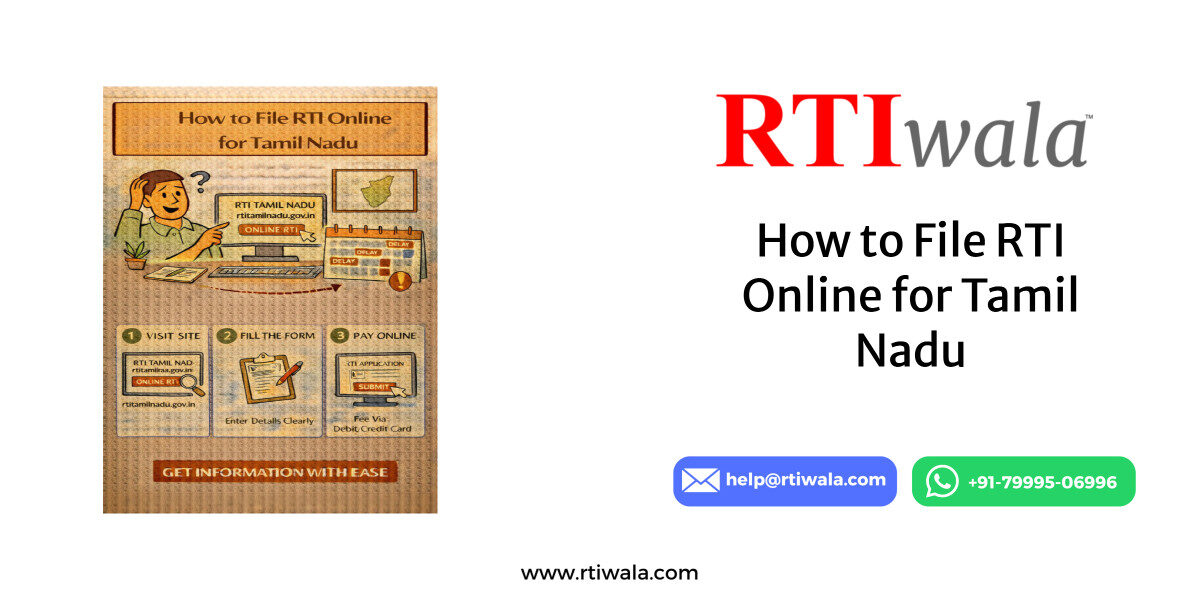
Is RTI Online Available in Tamil Nadu or Is Offline Filing Required?
Yes, RTI Online filing is officially available in Tamil Nadu, but with clear limitations that many applicants misunderstand. Tamil Nadu does not use the central RTI Online portal for most state departments. Instead, the state operates its own dedicated RTI online system.
This means:
- You cannot file Tamil Nadu RTIs on rtionline.gov.in for state departments.
- RTI applications to Tamil Nadu State Government offices must be filed through the state portal.
- Central Government RTIs related to Tamil Nadu still go via the central RTI portal.
Many applicants face rejection or no response simply because they file RTI on the wrong portal.
In Tamil Nadu, RTI filing modes depend on the public authority:
- Online RTI → For departments integrated with the Tamil Nadu RTI portal
- Offline RTI → For departments not yet onboarded digitally
Before filing, it is critical to verify whether the concerned department accepts online RTI.
When Online RTI is Allowed in Tamil Nadu
You can file RTI online if:
- The public authority is listed on the Tamil Nadu RTI online portal
- The department accepts online fee payment
- The information sought falls under state jurisdiction
Common departments where online RTI usually works:
- Revenue Department
- Municipal Corporations
- Local Bodies
- Certain State Directorates
When Offline RTI is Still Required
Offline RTI is required if:
- The department is not mapped on the TN RTI portal
- Payment gateway is unavailable
- RTI is addressed to village panchayat / small offices
- The authority demands postal submission
In such cases, RTI must be:
- Printed
- Sent via Speed Post / Registered Post
- Addressed to the correct Public Information Officer (PIO)
Key user mistake to avoid:
Filing RTI online assuming it applies to all Tamil Nadu offices. This leads to invalid applications and wasted time.
RTI delayed or no response? RTIwala resolves RTI filing, tracking, and appeals fast—contact us now.
📞 Call: +91-7999-50-6996
💬 WhatsApp: https://help.rti.link/
🌐 www.rtiwala.com
Official Tamil Nadu RTI Portal Link and Login Process
Tamil Nadu has a separate official RTI online portal managed by the State Government. This portal is the only valid online RTI platform for Tamil Nadu state authorities.
Official Tamil Nadu RTI Portal
- Portal Name: Tamil Nadu Right to Information Online
- Purpose: Filing RTI applications to Tamil Nadu State Government departments
- Access: Public, citizen-friendly interface
Applicants must use this portal only for state RTIs. Filing through any other portal will not be forwarded to Tamil Nadu authorities.
Who Can Register on the Portal
- Any Indian citizen
- No domicile restriction for Tamil Nadu
- One valid mobile number and email ID required
Step-by-Step Login & Registration Process
Step 1: Visit the Official Portal
- Open the Tamil Nadu RTI online portal in a secure browser
- Ensure HTTPS and government domain before proceeding
Step 2: New User Registration
You need to create an account before filing RTI.
Required details include:
- Full name (as per ID)
- Mobile number
- Email ID
- Address details
- Password creation
After submission:
- OTP is sent to registered mobile/email
- Account gets activated instantly
Step 3: Login to Your Account
- Enter registered email/mobile
- Enter password
- Complete captcha verification
- Access your RTI dashboard
What You Can Do After Login
Once logged in, the dashboard allows you to:
- File new RTI applications
- View submitted RTIs
- Track application status
- Download acknowledgements
- View replies from departments
Common Login Issues Users Face
Many users struggle at this stage due to:
- OTP not received
- Email entered incorrectly during signup
- Password mismatch
- Session timeout during form filling
To avoid errors:
- Use a stable internet connection
- Complete the form in one session
- Save reference numbers immediately
Important Technical Notes for Applicants
- Portal works best on desktop/laptop
- Avoid mobile browsers for payment steps
- Do not refresh during submission
- Screenshot acknowledgment after filing
Critical Reminder:
Only RTIs filed after successful login and fee payment are considered valid. Incomplete drafts are not submitted automatically.
RTI delayed or no response? RTIwala resolves RTI filing, tracking, and appeals fast—contact us now.
📞 Call: +91-7999-50-6996
💬 WhatsApp: https://help.rti.link/
🌐 www.rtiwala.com
Step-by-Step Process to File RTI Online in Tamil Nadu
Filing RTI online in Tamil Nadu requires accuracy at each step, as even small mistakes can lead to rejection or non-response. Once logged into the Tamil Nadu RTI portal, the application must be completed in one go to avoid session expiry issues.
Below is the exact practical process followed by successful applicants.
Step 1: Login to the Tamil Nadu RTI Portal
After account creation:
- Enter registered email/mobile and password
- Complete captcha verification
- Access the RTI dashboard
Always verify that your login is successful before starting a new application, as drafts are not auto-saved.
Step 2: Select “Submit New RTI Application”
From the dashboard:
- Click on “Submit RTI Request”
- Choose the relevant Public Authority
- Select the department carefully from the dropdown list
Wrong department selection is the number one reason for delayed or rejected RTIs in Tamil Nadu.
Step 3: Enter Applicant Details
Most fields are auto-filled from registration, but verify:
- Name spelling
- Mobile number
- Email ID
- Address (important for offline reply dispatch)
Incorrect contact details can result in missed replies, even if the RTI is answered on time.
Step 4: Write Your RTI Application
This is the most critical step.
While drafting:
- Ask clear, specific questions
- Avoid opinions or explanations
- Stick to factual information only
- Keep language simple and professional
Important drafting rules:
- Do not combine multiple departments in one RTI
- Avoid vague words like “why” or “how”
- Mention time period clearly
- Do not exceed character limits
Poorly drafted RTIs often receive generic or evasive replies.
Step 5: Upload Supporting Documents (If Any)
Uploading documents is optional, but useful when:
- Referring to a complaint number
- Mentioning an application ID
- Supporting an earlier correspondence
Ensure documents are:
- In PDF format
- Clearly readable
- Relevant to the RTI query
Unnecessary documents should be avoided.
Step 6: Preview Before Submission
Before final submission:
- Recheck department name
- Read RTI questions carefully
- Confirm spelling and dates
- Ensure no personal opinions are included
Once submitted, editing is not allowed.
Step 7: Proceed to Payment
After confirmation:
- Click “Proceed to Payment”
- Complete fee payment successfully
- Wait for transaction confirmation
Only after payment confirmation is the RTI officially filed.
RTI delayed or no response? RTIwala resolves RTI filing, tracking, and appeals fast—contact us now.
📞 Call: +91-7999-50-6996
💬 WhatsApp: https://help.rti.link/
🌐 www.rtiwala.com
RTI Application Fee in Tamil Nadu and Online Payment Method
Understanding the fee structure is essential to avoid incomplete or invalid RTI filings. Tamil Nadu follows a simple and fixed RTI fee system.
RTI Application Fee in Tamil Nadu
- Standard RTI fee
- Applicable to all Tamil Nadu State Government departments
- Same fee for online and offline RTI
Without fee payment, the RTI is legally invalid.
Exemption from RTI Fee
Applicants belonging to Below Poverty Line (BPL) category may be exempted, subject to:
- Valid BPL certificate upload
- Department verification
If proof is not uploaded, the RTI may be rejected outright.
Online Payment Methods Available
Tamil Nadu RTI portal generally supports:
- Debit Card
- Credit Card
- Net Banking
- UPI (in some cases)
Payment gateway availability may vary depending on:
- Browser used
- Bank server status
- Portal maintenance window
Common Payment Errors and How to Avoid Them
Many applicants face payment failures due to:
- Refreshing the page during payment
- Slow internet connection
- Closing the browser too early
To avoid issues:
- Use a desktop/laptop
- Do not press back or refresh
- Wait for confirmation screen
- Save transaction reference number
If payment fails but amount is debited:
- Amount usually auto-reverses in 3–5 working days
- RTI must be refiled if confirmation is not generated
Proof of Successful RTI Filing
After successful payment:
- Application number is generated
- Acknowledgement receipt appears
- Confirmation is sent via email/SMS
Always:
- Download the acknowledgement
- Save the RTI number securely
- Take a screenshot for records
This RTI number is required for tracking, appeals, and follow-ups.
RTI Reply Time Limit in Tamil Nadu and What to Do If No Response
Under the RTI Act, every Public Information Officer (PIO) in Tamil Nadu is legally bound to reply within a fixed time frame. Many applicants are unaware of these limits, which is why delays often go unchallenged.
Official RTI Reply Time Limit in Tamil Nadu
- 30 days from the date of RTI submission
- 48 hours if information concerns life or liberty
- 35 days if RTI is transferred between departments
The countdown starts from the date shown on the RTI acknowledgement, not from when the department opens it.
What Counts as a Valid RTI Reply
A valid reply must:
- Be in written form (online or physical)
- Address each RTI query point-wise
- Mention reasons if information is denied
- Quote relevant RTI Act sections for rejection
Incomplete, vague, or evasive replies are treated as deemed refusal.
Common Delay Reasons in Tamil Nadu RTIs
Delays usually occur due to:
- Wrong department selection
- Internal transfer without intimation
- Pending file movement
- Non-availability of records
- Negligence by the PIO
Most delays are administrative, not legal.
What to Do If No Reply Is Received Within Time Limit
If 30 days pass without a reply:
- Do not file a fresh RTI
- Do not wait indefinitely
- The law gives you a clear next step
You become eligible to file a First Appeal.
First Appeal: Your Legal Remedy
A First Appeal must be filed:
- Within 30 days after RTI reply deadline
- To the First Appellate Authority (FAA) of the same department
In the appeal, clearly mention:
- RTI application number
- Date of filing
- Proof of non-response
- Relief sought (information or direction)
No additional fee is usually required for First Appeal in Tamil Nadu.
Why Filing First Appeal Is Important
First Appeal:
- Creates legal pressure on the department
- Fixes accountability on the PIO
- Often results in faster and clearer replies
- Is mandatory before approaching Information Commission
Skipping this step weakens your RTI case.
RTI delayed or no response? RTIwala resolves RTI filing, tracking, and appeals fast—contact us now.
📞 Call: +91-7999-50-6996
💬 WhatsApp: https://help.rti.link/
🌐 www.rtiwala.com
How to Track RTI Application Status in Tamil Nadu Online
Tracking RTI status regularly is essential to ensure your application is not ignored or delayed silently. The Tamil Nadu RTI portal provides an online tracking facility for filed applications.
Where to Track RTI Status
RTI status can be checked only through:
- The Tamil Nadu RTI online portal
- Using the same login credentials used during filing
Status cannot be tracked via the central RTI portal for state RTIs.
Step-by-Step RTI Status Tracking Process
Step 1: Login to the RTI Portal
- Enter registered email/mobile
- Enter password and captcha
- Access dashboard
Step 2: Go to “My RTI Applications”
- Click on submitted RTIs list
- Select the relevant RTI application number
This section shows all RTIs filed from your account.
Step 3: Check Current Status
You may see statuses like:
- RTI Submitted
- Under Process
- Transferred to Another Department
- Reply Uploaded
- Disposed
Each status indicates a specific stage of processing.
How to View and Download RTI Reply
When a reply is uploaded:
- Click on the RTI number
- Download reply document
- Check date, signature, and enclosure details
Always save the reply for:
- Records
- First Appeal
- Future legal reference
What If Status Does Not Change for Many Days
If status remains unchanged:
- Wait till the 30-day deadline completes
- Take screenshots of status page
- Use it as proof for First Appeal
Status stagnation is not a valid excuse for the department.
Important Practical Tips for Applicants
- Check RTI status every 5–7 days
- Save acknowledgement and reply files offline
- Maintain a simple RTI timeline record
- Do not rely only on SMS/email alerts
Active tracking ensures better compliance from departments.
Frequently Asked Questions (FAQs)
1. Is RTI Online available in Tamil Nadu?
Yes, RTI Online is available in Tamil Nadu, but only through the Tamil Nadu State RTI portal. The central RTI portal cannot be used for most Tamil Nadu state departments.
2. Can I file Tamil Nadu RTI on the central RTI website?
No. RTIs related to Tamil Nadu State Government departments cannot be filed on rtionline.gov.in. You must use the official Tamil Nadu RTI portal to avoid rejection.
3. What is the RTI application fee in Tamil Nadu?
The RTI application fee in Tamil Nadu is Without fee payment, the RTI application is treated as invalid and will not be processed.
4. How long does it take to get an RTI reply in Tamil Nadu?
A reply must be given within 30 days from the RTI filing date. If the RTI is transferred to another department, the time limit becomes 35 days.
5. What should I do if no RTI reply is received within 30 days?
If no reply comes within 30 days, you should file a First Appeal to the senior officer of the same department. Do not file a new RTI for the same issue.
6. How can I track my RTI application status in Tamil Nadu?
You can track your RTI status by logging into the Tamil Nadu RTI online portal, going to “My RTI Applications”, and clicking on your RTI number.
7. Can I download the RTI reply online in Tamil Nadu?
Yes. Once the department uploads the reply, you can download the RTI response directly from the portal and save it for records or future appeal.